My MacBook Pro has had very little space for the past few months. It would often fluctuate between out of space and 20 GB due to caching and other factors. As a result, my computer got slower. With macOS Sierra, I managed to get my laptop up to 40 GB free. The new storage management is probably one of the best features of macOS Sierra. Just open "About This Mac" from the Apple menu, go to Storage, and press the "Manage..." button. While I don't use the store in iCloud feature, I would recommend using the Optimize Storage function. It will remove watched movies and TV shows from your Mac. Note that they will still be available in the cloud. You can also look through a variety of apps and file types and remove some files. For me, I found myself deleting podcasts and Steam games. This saved a lot of storage. I would definitely recommend trying this out, even if you're not out of storage yet.
All of your Mac and iOS questions and rumors can be answered! How? Easy! Just ask a teenager! What's better? Ask an Apple Certified teenager! Ask me! Alex! Writing once every single day since 2012!
Showing posts with label OS X. Show all posts
Monday, September 26, 2016
Friday, September 9, 2016
Apple Still "Very Committed" To Macs
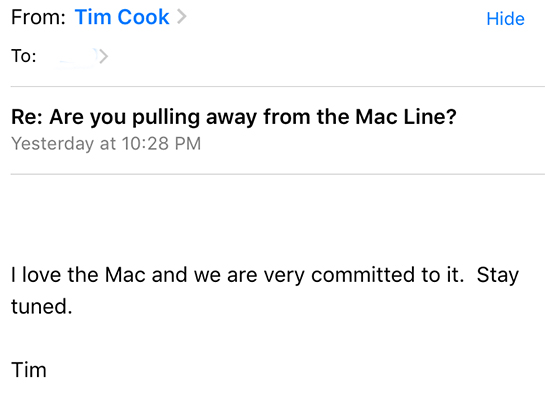
According to an anonymous MacRumors reader who emailed Tim Cook, Cook says that Apple is still committed to their Macintosh lineup. Apple hasn't updated their Mac lineup with anything major in quite some time, so customers are hoping to see an update soon. Rumors suggest that we'll see an update in October, supported by Tim's "stay tuned" in his email. Whether or not he personally wrote it has yet to be seen.
"I love the Mac and we are very committed to it. Stay tuned."
| Image Credit: MacRumors |
Thursday, July 21, 2016
Reset Spotlight Position
In more recent versions of macOS (OS X), you can reposition the Spotlight bar to fit your needs. Spotlight is the search feature in macOS that can be accessed through the magnifying glass in the top right corner of your screen or by using command and space (my preference). This makes for the easy opening of apps and quick calculations, among other things. If you wish to reposition Spotlight, just drag it around like any other window. If you want to reset it to the default center of the screen, all you have to do is click and hold on the magnifying glass icon mentioned earlier. I hope this helps.
Wednesday, July 6, 2016
EasyDoc Converter Malware
Bitdefender has discovered new malware known as Backdoor.MAC.Eleanor. Here's what you need to know. It takes form in an app called "EasyDoc Converter". This app poses as an easy way to convert documents. It does not actually convert documents, but instead can grant access to you Mac to malicious people. These people could do anything from sending emails on your behalf to deleting files. To protect yourself, simply do not download this app. If you've already downloaded this app, it is recommended that you install Malwarebytes, which can remove this new form of malware.
Tuesday, May 24, 2016
SiriKit Finally Coming At WWDC?
This is a feature I feel is long overdue. Apple is planning to give developers the ability to program commands into Siri, according to The Information. Apple will take measures to ensure that this is used responsibly. I'm assuming that Apple will use their new favorite naming scheme for their APIs and will name it SiriKit (in line with watchKit, HealthKit, etc.). This would also coincide with OS X gaining Siri support. This year seems to be Siri's big year and for good reason. This would suggest that this will be a feature-heavy update for the Apple ecosystem, something we've been needing for a while. Personally, if SiriKit is true, I hope Starbucks takes advantage of this because I want to do mobile orders, hands-free, while I drive to a Starbucks.
Thursday, May 19, 2016
Apple To Make Macs Unlock Via iPhone
Similar to how an Apple Watch can be unlocked if the user unlocks their iPhone, Apple plans to make Macs unlock through the use of an iPhone according to MacRumors. This would specifically have emphasis on Touch ID, as this effectively gives Macs a way to use Touch ID should they need it. It should be noted that it is currently unlikely that Macs will get a hardware accessory for Touch ID.
Wednesday, May 18, 2016
Siri For OS X Leaked?
MacRumors has shared some images that appear to show Siri in Mac OS X 10.12, or the next macOS. One of the images shows an app icon similar to Dashboard. In fact, the icon is where Dashboard used to be in the dock. For those who don't know, Dashboard was an app that would act as a pegboard for information, like stocks and weather. Siri would be an ideal candidate to replace a central hub for information, especially in combination with Notification Center and Mission Control. The other image is a menu bar icon with "Siri" written on it. I'm assuming both of these icons are ways to activate Siri. Anyways, hopefully we'll learn more at WWDC.
| Image Credit: MacRumors |
Sunday, April 24, 2016
Feature Request: Instant Export
With several mostly internal updates to OS X and iOS in the past few years, I'm hoping that Apple has some feature-heavy updates for us at WWDC. One of those features should be something along the lines of this. When working with things like editing software, you typically have to export your file to have it be useful anywhere. For example, when you create an image in Pixelmator, you have to export it to a JPEG or a PNG file. You typically can't upload a Pixelmator file to a website requesting an image. However, if Apple added a feature that would take these files and could optionally export it to the appropriate file type for that one instance, that would save me a lot of time. An example of this is if I made an image in Pixelmator and needed to upload it to Tech Talk 4 Geeks, I would just have to drag and drop the Pixelmator file into the uploader, and OS X would ask me if I would like to convert it. Hopefully we will see this in a future update.
Tuesday, April 19, 2016
MacBook 2016 Refresh
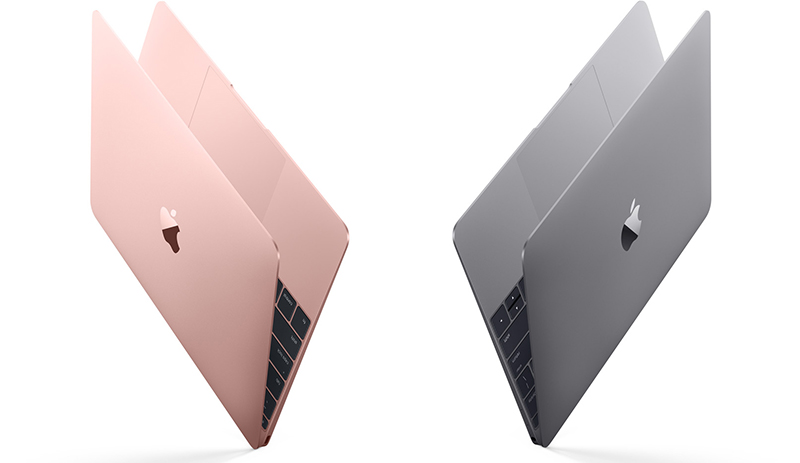
Today, Apple quietly refreshed their 12" MacBook line. There are new Skylake processors from Intel with new graphics processors to match. Because of this, there is some better battery life. But Apple also added a larger battery. Most notably, there is now a Rose Gold MacBook. Previously, there was only Silver, Space Gray, and Gold. The MacBook starts at $1,299 [Direct Link].
Sunday, April 17, 2016
Find Your Cursor Easily
In OS X El Capitan, there is a new trick to help you find your small cursor on a crowed screen. This is especially useful if you have multiple displays. Simply "shake" your cursor by moving your cursor back and forth. This will make your cursor very big temporarily, making it easy to notice from all of the madness on your desktop. I hope this helps.
Sunday, March 20, 2016
What I Could Dig Up: Let Us Loop You In
Here's a quick roundup of rumors for tomorrow's Apple Event entitled, "Let Us Loop You In."
iPhone SE
- Similar to iPhone 5s in design
- Up to date processors
- No 3D Touch
iPad Air 3
- Regular sized iPad Pro
- Compatible with Smart Keyboard and Apple Pencil
- Possible retiring of the "iPad Air" naming convention
- Could be named "iPad Pro"
- Similar design to iPad Air 2
- Starts at 32 GB for $599
Apple Watch Bands
- New color variations
- Sport Band
- Modern Buckle
- Leather Loop
- New Nylon Apple Watch Band
- Space Black Milanese Loop
iOS 9.3
- Night Shift
- More Quick Actions (3D Touch)
- New Health App
- Activity from Apple Watch
- Third party apps list shown in charts
- Password protected notes
- Apple School
watchOS 2.2
- Multiple Apple Watches to one (Developer only?)
- Revamped Maps app
- Quickly access home and work directions
- Search Nearby
OS X 10.11.4
- Performance improvements
- Password protected notes
- Import Evernote notes into Notes app
- View Live Photos in the Messages app
tvOS 9.2
- Supports Bluetooth keyboards and Dictation
- Folders for apps
- New Multitasking view
- Improved Photos App
- Support for iCloud Photo Library
- Live Photo Support
- Ask Siri to search for apps in the App Store
- MapKit support
Labels:
Announcement,
Apple,
Apple School,
Apple TV,
Apple Watch,
Apple Watch Bands,
Event,
iOS,
iOS 9,
iOS 9.3,
iPad,
iPad Air 3,
iPad Pro,
iPhone 5se,
iPhone SE,
OS X,
Rumors,
watchOS,
watchOS 2,
What I Could Dig Up
Friday, March 11, 2016
Audiobooks In The Cloud
It's hard to believe that it's almost been five years since iCloud was unveiled. During that time, we've seen a lot of services use iCloud to store data and sync it across devices. However, the laggard to this was audiobooks. Audiobooks couldn't be downloaded though the cloud. That finally changes. As of March 3rd, you can download your audiobooks on any compatible Apple device through the cloud. Audiobooks aren't the most popular type of media in the Apple ecosystem, but I'm glad to see that Apple is finally acknowledging this category.
Wednesday, March 9, 2016
Robert Palladino Passes Away At The Age Of 83
Late last month, Robert Palladino, the calligrapher that inspired Steve Jobs and some of Apple's fonts, passed away at the age of 83. Palladino was a Trappist monk who worked doing what he loved and helped nurture the potential of to-be designers, such as Sumner Stone, the designer of the ITC Stone font. One could argue that if it weren't for Palladino, we wouldn't have fonts on computers.
"None of this had even a hope of any practical application in my life. But 10 years later, when we were designing the first Macintosh computer, it all came back to me. And we designed it all into the Mac. It was the first computer with beautiful typography. If I had never dropped in on that single course in college, the Mac would have never had multiple typefaces or proportionally spaced fonts."
- Steve JobsWhile Palladino never used a computer, he had a large amount of influence on how text on computers look today.
| Image Credit: Liz Devine |
Friday, March 4, 2016
OS X Installer Certificate Update
All OS X installers that were downloaded before February 14, 2016 now longer work if you haven't used them yet. This is due to a certificate expiration and update. Note that this only affects OS X installers, not regular software installers. This actually affects me, as I downloaded the OS X El Capitan installer, but I never found the time to actually install it. So here I am needing to install a new version from the Mac App Store.
Wednesday, February 24, 2016
Siri Coming To OS X
According to 9to5Mac, we will finally see Siri make its long-overdue appearance on OS X 10.12. Siri will be available from the menu bar near Spotlight and Notification Center. Siri will also be accessible with a keyboard shortcut. OS X 10.12 will be announced at WWDC in June. OS X 10.12 will be available near the end of summer.
Tuesday, January 26, 2016
1 Billion Active Devices
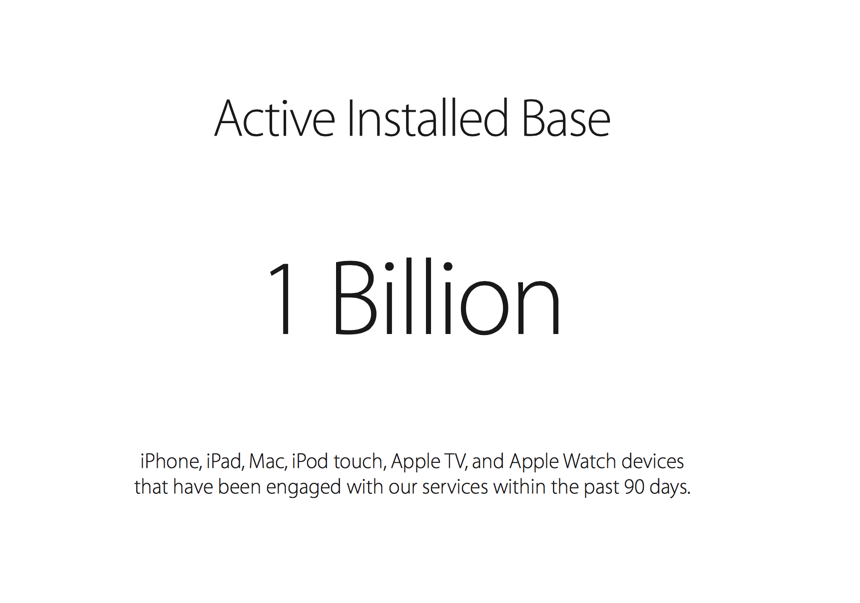
Apple has announced that they have an install base of one billion active devices across their iPhones, iPads, Macs, iPod touches, Apple TVs, and Apple Watches. And that's not how many they have sold, but how many have used an Apple service (i.e. iCloud) within the past 90 days. That's pretty crazy. Apple has sold about 75 million iPhones, 5 million Macs, and 16 million iPads in just the first quarter of 2016 alone. Onward to 2 billion!
Labels:
Apple,
Apple TV,
Apple Watch,
iOS,
iPad,
iPhone,
iPod Touch,
Mac,
OS X
Thursday, January 14, 2016
OS X 10.11.4 Beta Improves Live Photo Support
iOS 9.3 and OS X 10.11.4 betas were released the other day to developers and we now have an idea of where Apple wants to take their operating systems in the coming weeks. Live Photos were a big deal for Apple, but in OS X, they were only viewable in the Photos app. This changes with OS X 10.11.4. They are now viewable in the Messages app, which, in theory, is where you'd see most of your Live Photos (aside from the Photos app). Just use the Live Photo icon in the photo you receive.
| Image Credit: MacRumors |
Saturday, January 9, 2016
Facebook Messenger Desktop App Leak
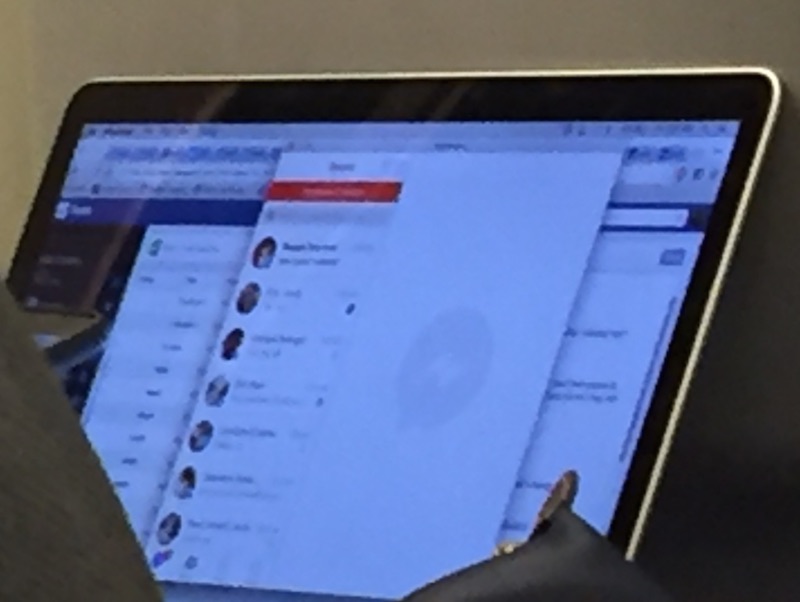
According to TechCrunch, Facebook is developing a desktop app for Facebook Messenger. This report actually originated from a leaked photo. The photo shows an app similar in layout to that of the iOS app. It should be noted that many products Facebook makes don't actually get released into the public and fade back into the drawing boards. This could be the case as it would seem odd for Facebook, a service that has focused heavily on its website for desktop use, to use an app. We'll probably hear soon if this is a real thing.
| Image Credit: TechCrunch |
Friday, January 1, 2016
What To Expect In 2016 From Apple
Happy New Year! It's officially 2016. That means that it's time to discuss what Apple may have up their sleeves for this year. This year, we can expect the iPhone 7 and iPhone 7 Plus, however, we may also see an iPhone 6c. Not only that, but the iPhone 6c is expected to be only 4-inches, down from the iPhone 6's 4.7-inches. Wow. Apple has some weird new year's resolutions. Apple Watch 2 may also make a debut with a better battery and faster processor, along with watchOS 3. Speaking of watchOS 3, we'll also see iOS 10 (iOS X?), and OS X 10.12! Finally, we may see an iPad Air 3 (fingers crossed for Apple Pencil support) and an iPad Pro 2. Anyways, I wish all of you have a wonderful 2016!
Labels:
Apple,
Apple Watch,
Apple Watch 2,
Holiday,
iOS 10,
iPad,
iPad Air,
iPad Air 3,
iPad Pro,
iPad Pro 2,
iPhone,
iPhone 6c,
iPhone 7,
iPhone 7 Plus,
OS X,
Rumors,
watchOS,
watchOS 3
Tuesday, December 29, 2015
Batch Rename Files in OS X
If you need to rename multiple files in Mac OS X, then just follow this simple trick. First, open the folder containing the files. They must be in the same folder and it helps if they are already in some order. If they are already in the order you'd like them to be in, select the first one, hold the shift key, and select the last one. If they are scrambled throughout the folder, hold the command key, and select each one. Now that you've selected your files, right click on any one of them and select "Rename [Number Selected] Items..." You can now choose how you want to rename them. If you want to have them be named "IMG_[Index]" you would select "Format" from the first dropdown menu, select "Name and Index" for the name format, select "After Name" for where the number should be, type "IMG_" for custom format, and finally use either 0 or 1 for the "Start Numbers At" field. I hope this helps!
Subscribe to:
Posts (Atom)