Following updated iPads yesterday, Apple has announced this morning that the iMac and iMac Pro lineup will be getting a minor refresh. The new iMacs have new Intel processors, while the iMac Pro can now have up to a whopping 256 GB of RAM. Ahead of their service-based event next week, Apple seems to be quietly announcing new products this week. Thanks to MacRumors, we now have reason to believe that Apple will announce a new iPod Touch as early as tomorrow. The iPod Touch has been long untouched by Apple, not being updated since mid-2015, so an update is welcome. To see the features I want in a new iPod Touch, check out my post on it. While I would like the new iPod Touch to have an edge-to-edge display, I wouldn't get my hopes up. Apple will likely update it for the sake of keeping the device series alive.
Showing posts with label iPod Touch. Show all posts
Showing posts with label iPod Touch. Show all posts
Tuesday, March 19, 2019

Saturday, January 26, 2019
New iPod Touch All But Confirmed
Thanks to Steve Troughton-Smith on Twitter, we now have evidence that a new iPod Touch is in the works. Datamining iOS 12.2 shows that a new iPod Touch has been listed. Interestingly enough, the iPod Touch does not seem to feature Touch ID nor Face ID. This begs the question if it will be a notched-iPod without Face ID? I could definitely picture it, as the iPod Touch has never had any alternative to using a passcode for security. If so, this would be a great way for Apple to offer an iPod Touch that's distinct from iPhone, yet much cheaper.
In theory, iOS 12.2 references four new iPads in WiFi & Cellular variants (perhaps mini, and 9.7"?), all without Face ID, and a (seventh-gen?) iPod touch with no Touch ID nor Face ID pic.twitter.com/xiJN6kmmTe— Steve Troughton-Smith (@stroughtonsmith) January 25, 2019
Monday, January 14, 2019
How the iPod Touch Could Return
The iPod Touch hasn't been updated since July of 2015. With rumors of a possible revival in the news, how could the iPod Touch return? A lot of people simply say, "Just release a new version." But I think Apple needs to put more consideration into this. Society has changed a lot since the iPod Touch's prime. Everything is data driven and online. With the iPhone, people forgot about the luxury of cellular and simply consider it the gold standard. I remember as a kid, I would look everywhere for a Wi-Fi hotspot. If you don't have Wi-Fi, iCloud contacts get de-synced, you don't receive text messages, and you can't use apps that revolve around an online connection. Pokémon Go is virtually impossible to play without a cellular connection. The answer here is to add cellular connectivity to the iPod Touch. It's been done with the iPad and it would work even better on an iPod Touch. Its portable nature would be perfect for a data-only plan. The only issue I would see is that it would compete too well with the iPhone. Why buy an iPhone when you can just buy a cellular iPod Touch? You get iMessage, FaceTime, FaceTime Audio calls, and data. The way I see it, I don't get calls from spam callers anymore.
Monday, January 15, 2018
iPod Touch: Refresh or Discontinue?
The iPod Touch is very old at this point. It has gone too long without a refresh that would bring it up to today’s standards. Apple makes an effort to shadow the device with Apple Music and AirPods. They even show the device running older versions of iOS in the promo art, despite the device being capable of iOS 11. It’s $199 for 32 GB is cheap, but given how outdated it is, it may be on its last legs. With kids getting phones at younger ages these days and the advent of tablets, there doesn’t appear to be significant demand for the iPod Touch. If Apple could refresh this up to the iPhone 8 design and keep the price reasonable, they may find a market. But at this point, there is little reason to keep it around.
Friday, February 5, 2016
Pink iPhone 5se?
Similar to the iPod Touch, the iPhone 5se may come in a bright pink color according to Mac Otakara. I suppose this is the iPhone 5se's equivalent of the iPhone 6s' Rose Gold color option. In addition, it would come in Silver and Space Gray. However, it may not have a Gold color option. This is a strange lineup for an iPhone color lineup, combining refined, sophisticated colors with bright, rambunctious colors.
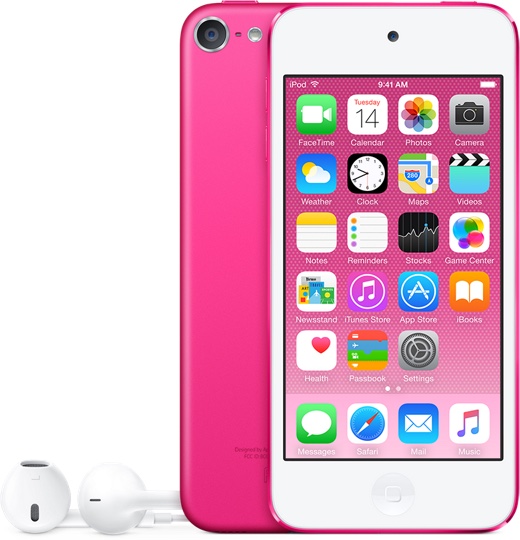 |
| The pink iPod Touch |
Tuesday, January 26, 2016
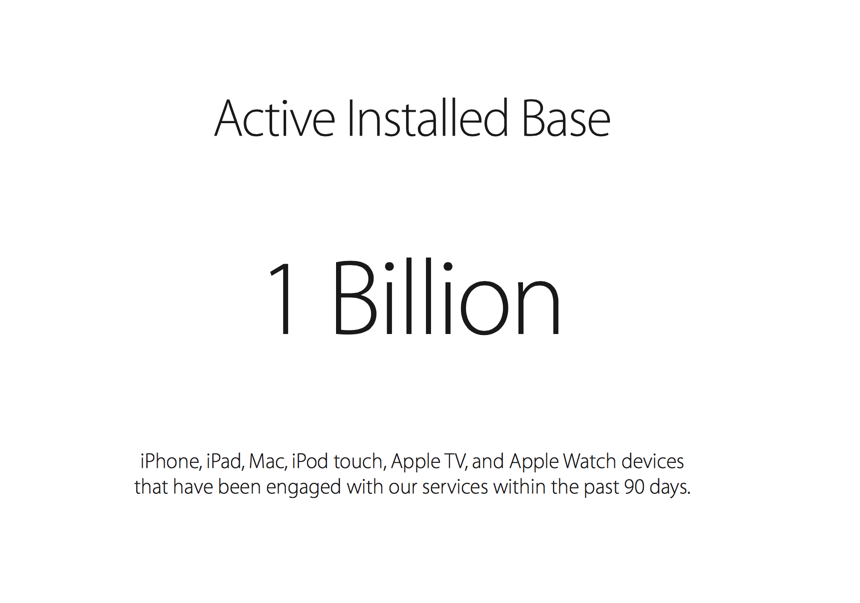
1 Billion Active Devices
Apple has announced that they have an install base of one billion active devices across their iPhones, iPads, Macs, iPod touches, Apple TVs, and Apple Watches. And that's not how many they have sold, but how many have used an Apple service (i.e. iCloud) within the past 90 days. That's pretty crazy. Apple has sold about 75 million iPhones, 5 million Macs, and 16 million iPads in just the first quarter of 2016 alone. Onward to 2 billion!
Wednesday, July 15, 2015
iPod Refresh 2015
Today, Apple quietly unveiled new iPods. They all have new colors, but the iPod Touch has some new features. For one, it has a 128 GB storage option. This is the first iPod since the iPod Classic to have that capacity. Also, it has an A8 processor, M8 coprocessor, and an 8MP camera. Be sure to check out these new iPods from the Apple Online Store.


Monday, July 13, 2015
Apple Constraining Certain Products To Third-Party Retailers
An inventory analysis from Target shows that Apple will be constraining some products. Products affected include the entire iPod lineup, iPad mini, iPad mini 2, iPad Air, and iPad Air 2. This points to a color refresh in the iPod lineup, leaked in an iTunes update. The iPads are most likely be removed in favor of the latest iPad Air 2 and iPad mini 3. This seems to confirm a lot of recent rumors.
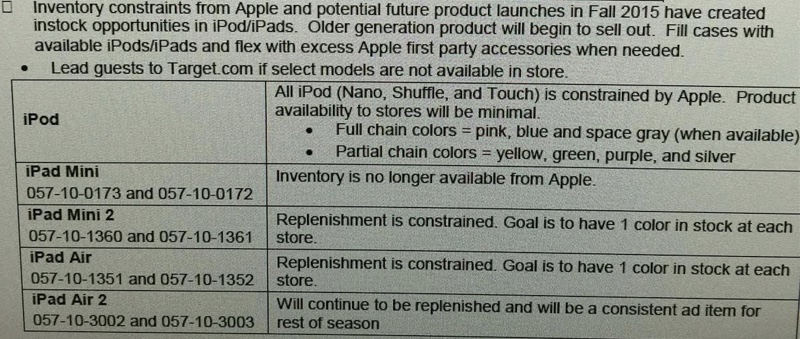 |
| Image Credit: Target Employee |
Friday, July 10, 2015
New iPods Coming July 14
Discovered in the data of iTunes 12.2 earlier this month, Apple will release new iPod models in new colors. According to iGen.fr, these new iPods will come on July 14. While the iPod Nano and iPod Shuffle would just have a color refresh, the iPod Touch would have 64-bit architecture.
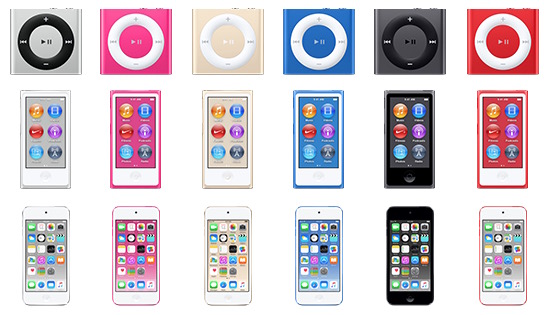 |
| Image Credit: MacRumors |
Sunday, December 28, 2014
Customize The Contacts Shortcut
In iOS 8, Apple introduced a contacts shortcut that shows up in the app switcher. It shows recent and favorite contacts by default. However, maybe you just want favorites or no contacts at all... The fix is simple! Just go to Settings > Mail, Contacts, Calendars > Show In App Switcher (Scroll down to Contacts) > and select what you want to be shown. It should be noted that iPads and iPod Touches don't have a "favorites" option, so you either have recent contacts or nothing. I personally have favorites show up, but feel free to customize it to your desire! I hope this helps!

Wednesday, December 10, 2014
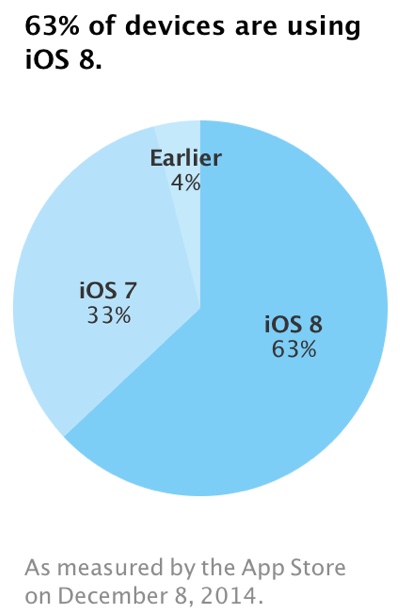
iOS 8 Is Now Installed On 63% Of Active iOS Devices
Two months after its release, Apple has reported that iOS 8 is installed on 63% of devices. This slow install rate is possibly due to major bugs disabling HealthKit, cellular data, and Touch ID on some devices, but these have been since fixed. In addition, users who are reluctant to upgrade due to storage limitations should consider upgrading through iTunes. Be sure to read my tips on upgrading an iOS device before proceeding.

Thursday, October 2, 2014
Apple Creates 'Activation Lock' Tool
In iOS 7, Apple made it so you would have to enter your Apple ID and password to erase a device, turn off Find my iPhone, and to start a wiped iPhone. However, if someone sells you a used iPhone, it might have Activation Lock turned on. Find the device IMEI or serial number and enter it on this website that Apple made. It'll tell you if it has Activation Lock turned on.

Thursday, June 26, 2014
Better 16 GB iPod Touch Available and Lower Prices for 32 GB and 64 GB Models
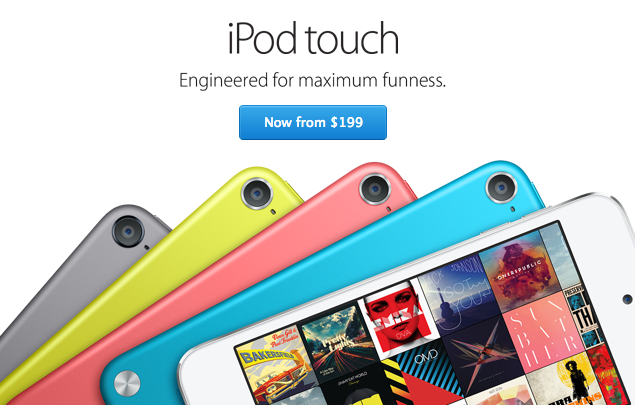
Today, Apple released a better version of the 16 GB iPod Touch, in addition to reducing the prices of the 32 GB and 64 GB models. The 16 GB model now has all the features of the current larger capacity iPod Touches, with the exception of the included iPod Touch Loop. It starts at $199. The 32 GB and 64 GB models cost $249 and $299 respectively.

Sunday, June 2, 2013
16GB iPod Touch Analysis
Here's my analysis on the new 16GB iPod Touch. But, is it better than the 4th Generation iPod Touch?
Thursday, November 1, 2012
Wireless Keyboard
If you find typing on your iOS device is too hard, you may fancy a wireless keyboard. Apple makes one for Mac and iPad. It's called the Wireless Keyboard. Just go to Settings > BlueTooth and connect to your keyboard. The setup process is different depending of the brand and model of your keyboard. You may already have one for your computer. Try one today!
Tuesday, October 30, 2012
Scroll Fast
On anything that scrolls on an iOS device (text, contact lists, web pages, emails, third party apps, etc.), there's a quick way to navigate it. To get to the top quickly, tap the status bar. The status bar is where the clock, battery and network information is. You're at the top! It's very helpful when you're looking at a web page about the first million digits of pi! But, let's save that for another post. I haven't even written about that Microsoft Store one yet that I said I would write.
 |
| Picture Source: Apple |
Friday, October 19, 2012
Saving Battery 4 iOS
 | |
|
Tuesday, October 16, 2012
Swipe to Delete
Throughout iOS, you can swipe on certain items to delete them. This includes emails, songs, text message conversations, notes, and more! A red confirm box will appear to make sure you want to delete the item.
 |
| You can swipe to delete notes. |
Saturday, October 13, 2012
No iPod Demos 4 Geeks
If you're thinking of going to the Apple Store to test out the new iPod lineup, good luck. At least at my Apple Store, they don't have them on display! I am dying to test out an iPod Touch and the iPod Touch Loop. But they only have them in the back storage for paying storage. Please comment if you got your hands on a demo. Thanks!
Wednesday, October 3, 2012
Need a mirror?
Has there ever been a time where you needed a mirror, but you didn't have one? If you have a iOS device with a front-facing camera, go to the camera app (not the photos app) and tap the camera switch button if the camera is showing outside (button with camera and arrows, shown below). If the camera is showing your face, skip tapping the button. You should now have the front facing camera. Use it as a mirror. There are also many mirror apps on the App Store. Some are free.

Subscribe to:
Posts (Atom)