Showing posts with label Photos. Show all posts

Sunday, July 15, 2018

Apple's Photo Book Service to be Discontinued

Apple has had physical Photo Books available for purchase since 2002, and many people enjoy making and receiving them. Unfortunately, Apple will be discontinuing it later this year. Found by 9to5Mac, the service will be discontinued September 30, 2018. The service will be succeeded by extensions that the user installs, such as Shutterfly. This is unfortunate for me and my family, as we loved making these books, so I'll have to be sure to make at least one more before it's discontinued.


Saturday, March 17, 2018

The Rapid Change of the Smartphone Camera

The original iPhone had a 2 megapixel camera. At the time, the iPhone camera was designed to be simple and convenient. Your phone was something you would carry anywhere. Anytime you needed to take a picture, you could. Today, we often use smartphone cameras to take pictures for reference. For example, let's say you need to take a picture of a flyer. You wouldn't be carrying around a point-and-shoot randomly, but even if you were, you'd have to take it back home and import it to your computer from your SD card. And even then, that picture is only available for viewing when you're on your computer. Moving on, the iPhone 3GS made a huge leap by introducing "tap to focus." The foundation of smartphone photography was formed when this came out. You could also take video on an iPhone now. The iPhone 4S had an 8 megapixel camera, which made images much clearer. Suddenly, other smartphone companies bragged about their cameras because they had more megapixels. For years, Apple improved their optics. This is where Apple differentiated themselves. They realized that there was a breaking point. It wasn't about megapixels anymore, it was about the overall quality. Today, with the iPhone X, we have Portrait Mode, Live Photos, and an optical lens. At this point, smartphones have replaced so many consumer cameras. And I notice that at this point, all smartphone cameras are the same in terms of quality. I notice that competitors to the iPhone brag about a slightly better camera rating. When I look at the comparisons, the photos are almost identical. If I took a photo on my iPhone, I wouldn't say, "It's great, but I wish the lighting were a hair better." I'm not suggesting that companies shouldn't make improvements to their optics anymore, but I think features like Portrait Mode, Live Photo, and HEIF help iPhone stand apart from its competitors. Features are now the next big thing to compete over.

Sunday, March 4, 2018

Consumer Reports Ranks iPhone X Best Camera

Consumer Reports has ranked that the iPhone X has the best smartphone camera on the market currently. There's no denying that the competition has become very close, with controversy in some rankings. I personally have been loving my iPhone X camera. The optical zoom, Portrait Mode, HEIF, and Live Photos are my favorite features. We've reached a point where megapixels don't matter much anymore and it's all about optics and these nice features.

Saturday, February 10, 2018

Disable Live Photos in Messages

When you take a photo in the Messages app, you're presented with a smaller version of the camera interface. You can take a photo by tapping the little button at the bottom of the frame. However, with an iPhone 6s or later, this will usually take a Live Photo. To disable this Live Photo for each individual photo you're about to send, tap the Live Photo icon in the top left corner of each picture you took. This will put a slash there, signifying that it will not be Live.

Monday, January 1, 2018

The Benefit of HEIF and HEVC

Apple quietly introduced HEIF and HEVC, which essentially cut the amount of storage photos and videos take up without quality loss. HEIF stands for high efficiency image format, and replaces JPEG. HEVC stands for high efficiency video coding. Before these formats, I found loading iCloud videos in my library took forever. Usually, my phone would timeout before loading. Now, they load nearly instantly. I believe this feature is only avaliable when you have an iPhone 8 or later attached to your iCloud account. It’s subtle, but very useful for getting media from the cloud. 

Sunday, October 1, 2017

New Photo Projects in macOS High Sierra

macOS High Sierra introduces an obscure but cool new feature for Photos. There are extensions that allow you to make more than just the Books, Calendars, and Cards that Apple makes. You can download compatible apps and create things like t-shirts with your photos. If you have a compatible app, in Photos, use File > Create and pick a third-party app. Hopefully, this doesn't give Apple an excuse to drop out of the print business entirely.

Tuesday, June 20, 2017

Apple Releases 'The Archives' Ad

Apple released a new ad called "The Archives." This ad demonstrates how the Memories feature in Photos can be a great way to look back on life. It follows an archivist looking at physical Live Photos and putting them together to create a movie for the user. The ad is trying to convey how Memories have a personal touch to them. The ad is available to watch below or on YouTube.

Thursday, June 8, 2017

iOS 11 Custom Apple Watch Faces

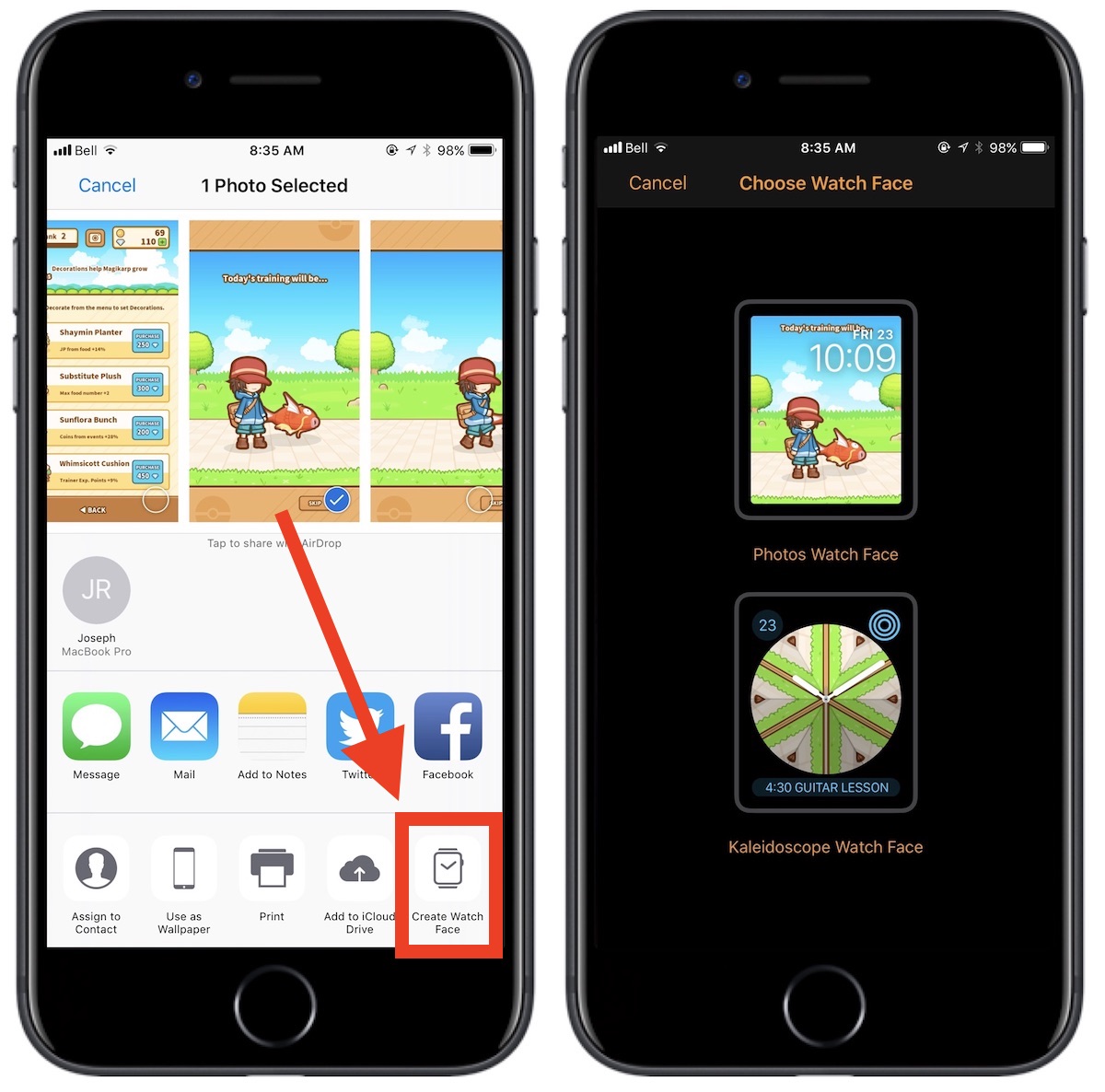
According to MacRumors, iOS 11 has a share sheet available for Photos that allows a custom watch face to be created. Normally, the user doesn't have too much of a choice when it comes to which photos appear on a watch face, as most of the time, watchOS shuffles an album and picks a photo for you. This feature makes it easy to pick a particular photo. In addition, you can choose to make it into a kaleidoscope watch face.

Image Credit: MacRumors

Thursday, April 20, 2017

Live Photos Coming To Websites

Apple has announced that Live Photos will be available on the web through an API. This will allow developers to embed Live Photos on their websites. There is likely a lot of possibilities of where this can lead to in terms of web development. On their developer site, you can take a look as to how Live Photos may look on the web.


Friday, October 7, 2016

Markup in iOS 10

Markup is Apple's annotating tool used in macOS, and now it works with iOS 10 with Photos. To use it on a photo, just select a photo from the Photos app. Tap Edit, and tap the three dots in the circle near the bottom right corner of the screen. Select "Markup" from the available options. You can now annotate and draw on the photo of your choosing. I hope this helps!

Tuesday, May 31, 2016

Unlimited Zoom in Photos App

Most of the time, the zoom limit in the Photos app is not a big deal. However, there are times where I'd like to zoom in more without flooding my camera roll with screenshots. Thanks to iDownloadBlog, there is an easy glitch that will allow unlimited zoom. Simply pick a photo, tap "Edit", select the crop icon, and rotate the photo 90° in any direction. You should now be able to zoom in without any limits. You can also rotate the photo into any orientation and have the same effect. Exiting the app or switching photos will cause the make it so that the glitch must be done again. Note that this glitch requires iOS 9.3.2 or the beta of iOS 9.3.3.

Sunday, May 8, 2016

Mother's Day 2016

Today is Mother's Day, and Apple is celebrating with a new website that puts a spin on one of their ads. Apple's Mother's Day ad shows pictures of mothers captured on an iPhone. The website allows anyone to upload a photo of their mom and the photo will be added to the array of photos from the original ad.

To end today's post, I wish my mom a happy Mother's Day. Thank you for everything you do!

Tuesday, March 8, 2016

Google Photos Supports Live Photos

It's interesting to see that Apple's biggest competitor supporting an iOS exclusive feature on their platform. Of course, I'm talking about Live Photos. In an update today, Google Photos now supports Live Photos, allowing iPhone 6s users to store their moving mementos in Google's cloud. As far as I know, Android has no equivalent of Live Photos. Google Photos is available for free from the Apple App Store [Direct Link].

Wednesday, February 17, 2016

Apple Releases New 3D Touch and Live Photo Ads

Today, Apple released two more, very funny, advertisements about the iPhone 6s. These two are about 3D Touch and Live Photos. I think I can vouch for Apple when they said that Live Photos of cats are a great use of Live Photos. Best lock screen ever. Anyways, the videos are embedded below.


Thursday, January 14, 2016

OS X 10.11.4 Beta Improves Live Photo Support

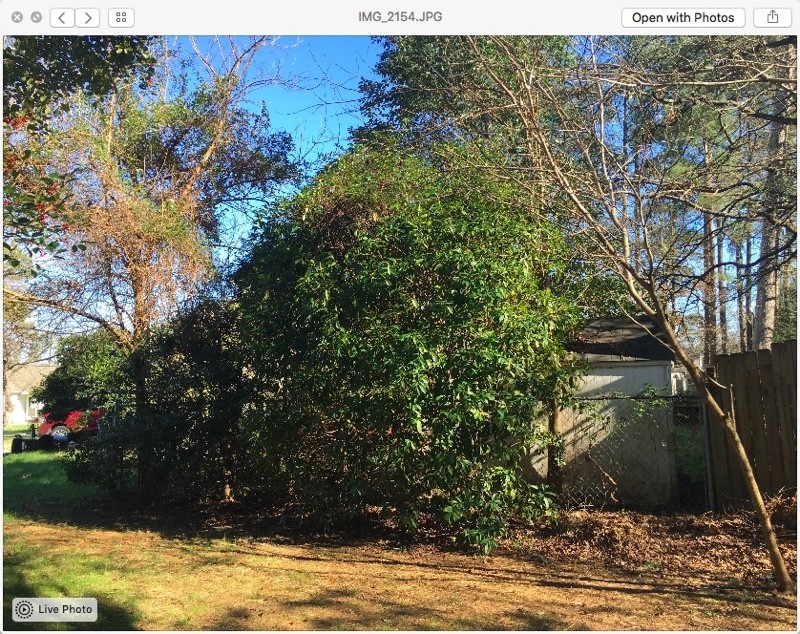
iOS 9.3 and OS X 10.11.4 betas were released the other day to developers and we now have an idea of where Apple wants to take their operating systems in the coming weeks. Live Photos were a big deal for Apple, but in OS X, they were only viewable in the Photos app. This changes with OS X 10.11.4. They are now viewable in the Messages app, which, in theory, is where you'd see most of your Live Photos (aside from the Photos app). Just use the Live Photo icon in the photo you receive.

Image Credit: MacRumors

Thursday, December 3, 2015

iPhone: Still Flickr's Most Popular Camera

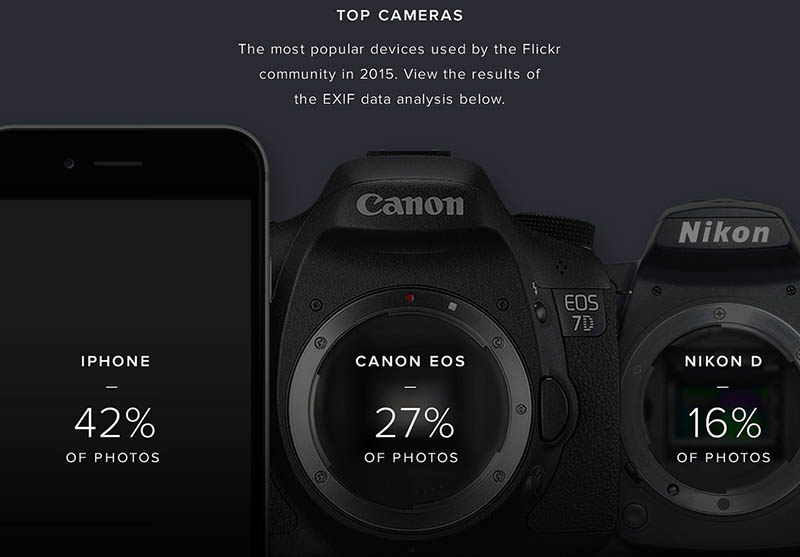
Flickr released their Year in Review page for 2015 and on it are the most popular cameras used. In third, the Nikon D DSLR. Second, the Canon EOS series of DSLR cameras, which I actually used to use to make videos on. My dark past in a nutshell. And of course in first place, we have the iPhone as the most popular camera that posts photos on Flickr at 42% of photos. iPhone has been first place for a number of years. It just shows how a quality camera doesn't have to be bulky.


Saturday, September 26, 2015

Video Recording on iPhone 6s

As you know, iPhone 6s is capable of taking 4K video, but what you might've not have known is the catch that comes with it. And no, I'm not talking about the extra space it takes up. 4K video is actually taken with 30 fps, instead of 60 fps. 1080p video can still be taken with 60 fps. You can change this by going to Settings > Photos & Camera > Record Video > and choose which option you want. I hope this helps.


Friday, September 25, 2015

iPhone 6s: First Impressions

Today, I tried out an iPhone 6s at an Apple Store. Here are my first impressions. Compared to my iPad Air 2, the iPhone 6s is definitely twice as fast, if not more, than the iPad. 3D Touch is very comparable to Force Touch on the Apple Watch. It does a very light vibration when you do it. Live Photos is nice if you have the right situation. Not good for faster motion, as it only captures 15 fps for Live Photos. However, I found a really good Live Photo taken within the Apple Store (not even a demo picture), so there's a lot of potential. Anyways, hopefully I'll be able to do a more extensive review in the near future. 

Wednesday, September 23, 2015

How Live Photos Work

If you've been curious as how Live Photos work, then this is for you! Live Photos are photos that have embedded movies in them to show seconds before and after the photo was taken. Basically, these Live Photos are saved as a .JPG file as a .MOV file. The .MOV file is a video with 15 fps that is typically takes up less storage than the photo. It's about 66% of the photo's file size. Of course, the photo is a 12 MP shot with much higher resolution. Anyways, that's pretty much what we know about Live Photos so far. The iPhone 6s releases this Friday.

Monday, April 27, 2015

Take a Screenshot on Apple Watch

For my first tip on the Apple Watch, I'll be teaching you how to take a screenshot on your Apple Watch. It's very similar to taking a screenshot on an iOS device. Just press the Digital Crown and the button below/above (depending on your handedness) at the same time. The screenshot will also be available on your iPhone and other iCloud devices.