Back to My Mac has been around for a long time. It allowed users to perform file transfers and screen shares through iCloud. Apple will be shelving the feature with the release of macOS Mojave. I personally found Back to My Mac a bit complicated, with so many conditions that had to be met for it to work practically. There are other free alternatives, like TeamViewer, so not all is lost. Apple also mentions Apple Remote Desktop, which is $80 and receives few updates, so (while it's unlikely) we may finally see an update or a price cut.
Showing posts with label iCloud. Show all posts
Showing posts with label iCloud. Show all posts
Tuesday, August 21, 2018
Monday, January 1, 2018
The Benefit of HEIF and HEVC
Apple quietly introduced HEIF and HEVC, which essentially cut the amount of storage photos and videos take up without quality loss. HEIF stands for high efficiency image format, and replaces JPEG. HEVC stands for high efficiency video coding. Before these formats, I found loading iCloud videos in my library took forever. Usually, my phone would timeout before loading. Now, they load nearly instantly. I believe this feature is only avaliable when you have an iPhone 8 or later attached to your iCloud account. It’s subtle, but very useful for getting media from the cloud.
Wednesday, May 31, 2017
Alexa Adds iCloud Calendar Integration
iOS users will finally be able to sync their calendars to Alexa via iCloud. This lets Alexa read off your schedule for the day and add events. To enable this, just sign into iCloud in the settings of the Alexa app for iOS. It's nice to finally have this feature. I was a bit disappointed when I got my Echo a year ago and it didn't have this integration.
Wednesday, March 22, 2017
Why You Shouldn't Care About the iCloud Hack
Earlier today, a group of hackers claimed to have compromised over 300 million iCloud accounts. While this was false [Source: Fortune], many were able to determine there was no threat at all. First off, the ransom price. 300 million accounts is a lot. To give that up would take a lot of money. Definitely more than $75k in Bitcoin. The second giveaway? The fact that their alternative offer was asking for $100k in iTunes gift cards. I'm not sure what you could say to that. But either way, the hack was false, and there is nothing to worry about.
Sunday, December 11, 2016
Report Spam in Calendar
Recently, many iCloud users have been receiving spam in the form of calendar events. Apple has started to address this issue starting on iCloud.com. If you receive an event from someone not on your contact list, you can report it as junk. This will hopefully cut down on this spam. While this is only available on iCloud.com, it will likely be available on iOS and macOS in this week's iOS 10.2 update.
Wednesday, November 30, 2016
Apple to Stop iCloud Calendar Spam
If you use iCloud Calendars, you've likely seen a strange calendar event that you didn't create. I've seen them too. These are spam invitations and should be ignored at any cost. Unfortunately, because of how iCloud invites work, this isn't easy. Apple has told iMore that they are working on a fix. Until then, a good workaround is moving the spam event to a new calendar. Then, delete this new calendar. Doing this will not notify the spammers if your account is real. Credit to MacRumors for that tip.
"We are sorry that some of our users are receiving spam calendar invitations. We are actively working to address this issue by identifying and blocking suspicious senders and spam in the invites being sent."
Friday, July 8, 2016
iCloud Ransom Attacks
Recently, there have been reports that Apple devices are being remotely locked by hackers, reports CSO. The hackers are using Find My iPhone to display messages asking for money to not erase people's data. In order to prevent this, I highly recommend enabling two-factor authorization. If you have a simple password, I would also recommend making a new one. The way I see it, it's better to start making a more complicated password now since it'll probably be a requirement in the future. Stay safe everyone!
Thursday, March 17, 2016
Apple Looking To Create Their Own Cloud Storage Infrastructure
Apple wants to create their own cloud storage infrastructure. What does that mean? Simply put, they rely on Amazon, Google, and Microsoft of all people for cloud-based data solutions. Apple may provide the services of iCloud, but iCloud is powered by its competitors as of now. Apple wants to change that. Apple wants to create their own storage database so services will work faster. When downloading pictures and videos from the cloud, Apple says it will be much faster. When this will come out, I don't know. It might end up not coming out, only time will tell.
Tuesday, March 15, 2016
iCloud Hacking Scandal Finally Resolved
Ryan Collins has pleaded guilty to hacking celebrity iCloud accounts and leaking photos on the internet. This was all the way back in 2014. In fact, its impact probably played a big role in the current iPhone backdoor dispute. This event prompted Apple to increase security measure on their devices. Also, the way he did obtain celebrity information wasn't even really hacking. He just sent out phishing emails pretending to be Apple asking for usernames and passwords. I had a feeling that from the start of this situation that whatever happened to those iCloud accounts wasn't because of Apple's security. Of course, not taking action wouldn't have helped Apple's image either. Anyways, it looks like Collins will spend about 18 months in jail for violating the Computer Fraud and Abuse Act.
Friday, March 11, 2016
Audiobooks In The Cloud
It's hard to believe that it's almost been five years since iCloud was unveiled. During that time, we've seen a lot of services use iCloud to store data and sync it across devices. However, the laggard to this was audiobooks. Audiobooks couldn't be downloaded though the cloud. That finally changes. As of March 3rd, you can download your audiobooks on any compatible Apple device through the cloud. Audiobooks aren't the most popular type of media in the Apple ecosystem, but I'm glad to see that Apple is finally acknowledging this category.
Saturday, July 11, 2015
iCloud Users in Greece Receive 30 Extra Days of Paid Storage Due To Financial Crisis
Due to the financial crisis in Greece, Apple will make life a little easier on people in Greece by not charging them for their iCloud data plans for an extra 30 days. Hopefully, this makes the situation a bit less tedious for people affected. Just a note, because this topic deals with potentially sensitive issues, comments have been disabled for this post.
"Dear iCloud customer,
To prevent interruption in your iCloud service during the current fiscal crisis, and to make sure you have access to your content, we’ve extended your iCloud storage plan for an extra 30 days at no additional cost.
We won’t attempt to charge you for your plan until 30 days after your original renewal date. If we are unable to renew your plan, you may need to reduce the amount of iCloud storage you use.
The iCloud Team"

Tuesday, June 9, 2015
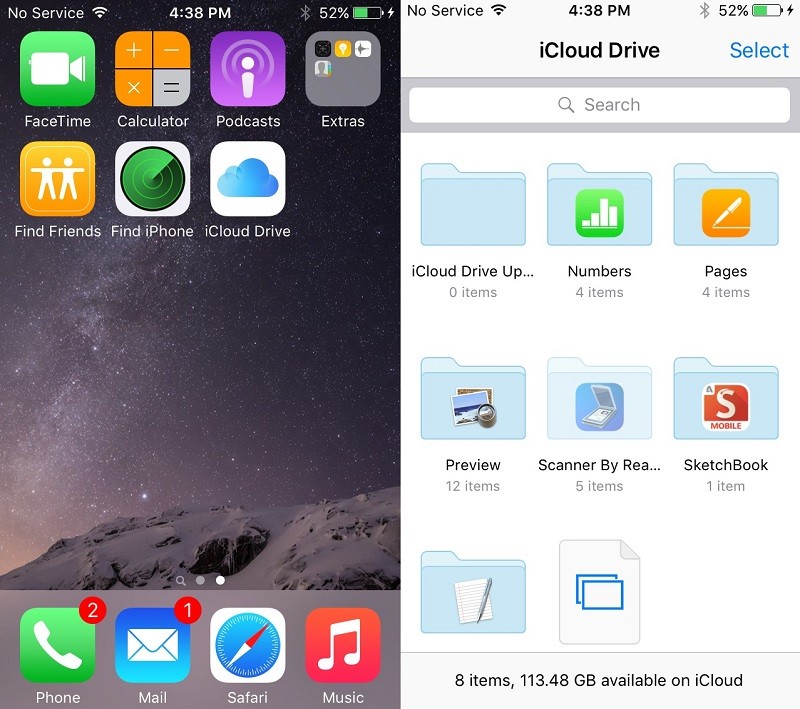
iCloud Drive is an App in iOS 9
If you have the iOS 9 developer beta, you may have noticed iCloud Drive in the Settings app. If you go to Settings > iCloud > iCloud Drive > and switch on "Show on Home Screen," there will be a dedicated iCloud Drive app that you can use like Finder on Mac. It lets you see all of your files in iCloud Drive no matter which app. iOS 9 is available for developers only at the time, but it will be released to the public this fall.
 |
| Image Credit: MacRumors |
Monday, April 27, 2015
Take a Screenshot on Apple Watch
For my first tip on the Apple Watch, I'll be teaching you how to take a screenshot on your Apple Watch. It's very similar to taking a screenshot on an iOS device. Just press the Digital Crown and the button below/above (depending on your handedness) at the same time. The screenshot will also be available on your iPhone and other iCloud devices.
Friday, February 13, 2015
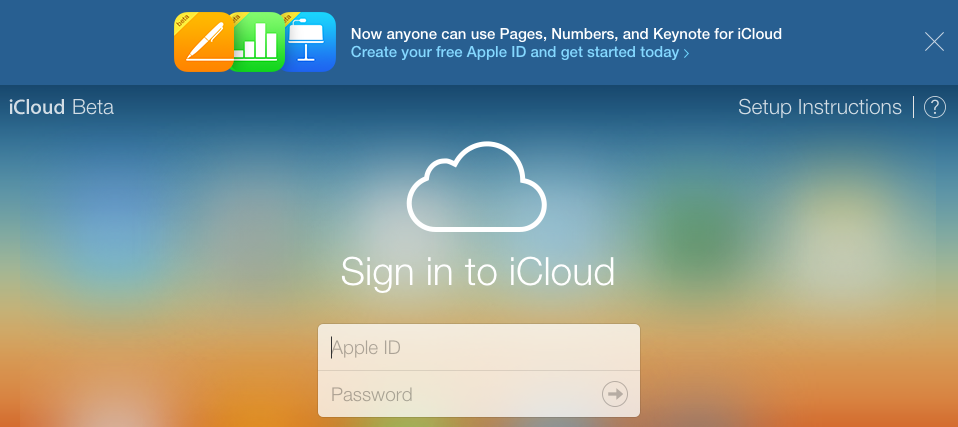
iWork for iCloud Available Without An Apple Device
If you don't own an Apple product, you can now use iCloud apps on iCloud.com in its beta form. This means you can use Pages, Numbers, and Keynote without an Apple product. Respectively, they are Apple's versions of Word, Excel, and PowerPoint. Anyways, if you want to get started, go to iCloud.com.
 |
| Image Credit: MacRumors |
Thursday, February 5, 2015
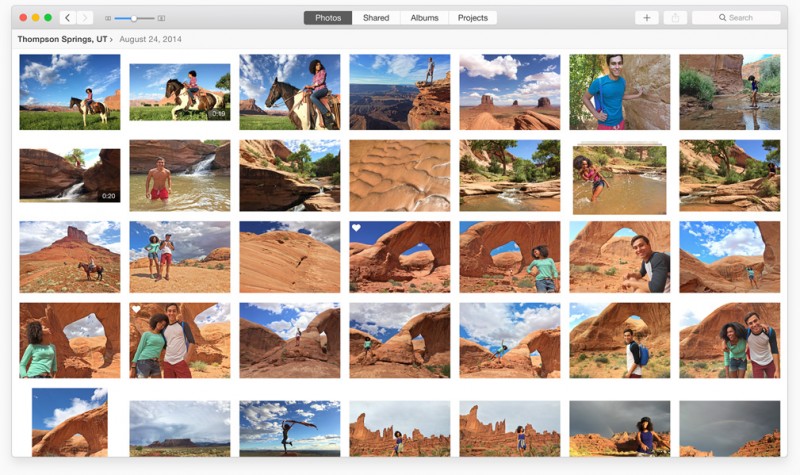
OS X Photos App Beta Now Available For Developers
In the first beta of Mac OS X 10.10.3, developers get a sneak peak of the Photos app that will replace iPhoto. The Photos app allows you to access the same photos you have on your iOS device, without the trouble of iPhoto's implementation of iCloud Photo Stream. If you're a developer, you can get the update through the Mac App Store's 'Update' section or through the Mac Dev Center.

Sunday, December 21, 2014
Delete iCloud Tabs
In iOS 8 and OS X Yosemite, you can now delete iCloud tabs from any device connected to your iCloud. Just go to iCloud tabs, and delete them by clicking on the "x" on a Mac, or swipe to the left on an iCloud tab on an iOS device. It's that simple! I hope this helps!
 |
| Click the "x" on an iCloud tab for OS X |
Saturday, November 22, 2014
You Can Now Post Photos On iCloud.com To Your Photo Stream
In a previous post, I noted how developers could upload photos to their photo streams. Two weeks later, that same feature is available to the public. Like the beta version, you can only upload JPG files. Hopefully, this feature will be updated to support more file types. But for now, we at least have the ability. It's not like people use the feature much (That wasn't sarcasm.)
 |
| Image Credit: MacRumors |
Thursday, November 6, 2014
You Can Now Post Photos In The Beta Version Of iCloud.com To Your Photo Stream
The beta version of iCloud (available for developers), now allows the ability to upload photos to your iCloud Photo Library. Although the regular site doesn't allow for this at the moment, we can expect it soon. In addition, you can only upload JPG files and no movies. I'll update when this feature is available for all users with polished features.
|
| Image Credit: MacRumors |
Monday, October 20, 2014
How To Setup SMS Relay on iOS 8
With iOS 8.1 available today, one of the main features (especially if you don't have an iPhone 6) is SMS Relay. This allows your other iOS devices and Macs to send and receive SMS (which is different from iMessage). Here's how to set it up.
You'll Need:
You'll Need:
- An iPhone (Running iOS 8.1)
- Someone to text who doesn't have an iPhone
- An iOS device (NOT an iPhone; Running iOS 8.1) and/or a Mac (Running OS X Yosemite)
The Procedure:
- On your iPhone, go to Settings > Messages > Text Message Forwarding
- Change one of the switches next to your device from grey to green.
- Pick up the device you picked and look for a code.
- If this doesn't happen instantly, go back to Settings > Messages on your iPhone and toggle iMessage off and turn it on again.
- If this still doesn't work, be sure that the two devices are on the same WiFi network.
- Enter the code on your iPhone.
- Celebrate with cake!
- Realize that the cake was a lie.
Thursday, October 2, 2014
Apple Creates 'Activation Lock' Tool
In iOS 7, Apple made it so you would have to enter your Apple ID and password to erase a device, turn off Find my iPhone, and to start a wiped iPhone. However, if someone sells you a used iPhone, it might have Activation Lock turned on. Find the device IMEI or serial number and enter it on this website that Apple made. It'll tell you if it has Activation Lock turned on.

Subscribe to:
Posts (Atom)