Showing posts with label Apple Watch 2. Show all posts
Showing posts with label Apple Watch 2. Show all posts
Friday, April 21, 2017

Sunday, January 8, 2017
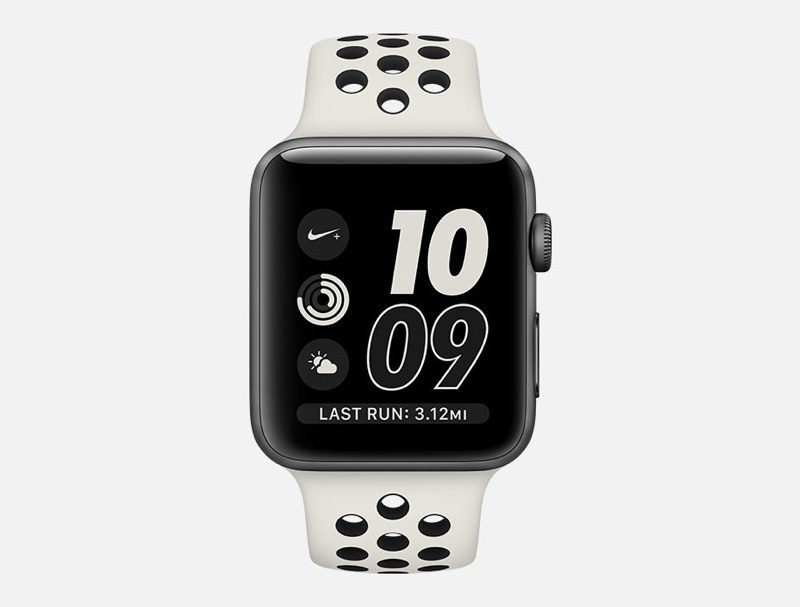
7 Great Uses for your New Apple Watch
 If you got a new Apple Watch recently, here's a quick guide on some of the best uses for your Apple Watch, in my opinion.
Navigation
While the Maps app on Apple Watch isn't very useful on its own, in conjunction with your iPhone, it's very useful while driving. First, open the Apple Maps app on your iPhone, enter a destination, and drive (or walk) to it normally. Without doing anything on your Apple Watch, you'll feel a gradual vibration on your watch as your get close to a turn. This is perfect when you get close to a turn but you're too focused on the road to look at your phone for directions and you can't hear Siri well enough to know where to turn. That's a big trend with Apple Watch, it's use of continuity with other Apple products.
Music
Let's say you want to listen to music while studying, but you don't want to be tempted by your iPhone and get distracted. What I like to do is to have a watch face with the Music complication on it. Go to the Apple Watch app, tap "Face Gallery" at the bottom, and find a watch face you like (or modify your current watch face). For one of the complications, choose Music. Tap "Set as current Watch Face." Now, just start some music on your phone or watch, and put your phone in your backpack or bag. You can view the progress of a song right from your watch face. Tapping on it will reveal playback controls. You can turn the digital crown to adjust volume.
Watch Faces
Speaking of watch faces, here's my next favorite use of the Apple Watch. I always have a secondary watch face just for music playing and school related stuff. Making watch faces that match your lifestyle can be a lot of fun. There is so much customization. You can change your watch face to one of your presets by either swiping between them on your watch, force touching (pressing hard on the screen) on your watch face, or through the Apple Watch app on iPhone. If you ever need inspiration, check out the Face Gallery in the Apple Watch app for iPhone.
Unlocking Macs
When you wake up your Mac, you're typically greeted with a password screen. However, did you know you can bypass this through your Apple Watch? Go to System Preferences on your Mac, choose Security & Privacy, and enable "Allow your Apple Watch to unlock your Mac." This may require you to do a bunch of security stuff with your Apple ID, but it is very helpful. It knows the difference between being right at your computer and being five feet away. Admittedly, it's a bit slower than touch typing in your password, but there are situations where it can be useful.
Apple Pay
If you ever forget your wallet or phone, Apple Watch can be used as your credit card. If a store takes Apple Pay, which is becoming much more common, you can use your Apple Watch. After setup, just double click the side button (the rectangle shaped one) and hold your watch near the terminal. You can choose cards by swiping between them on this screen. Take notes of your favorite places that use Apple Pay, so you can use them in the future.
Workouts
These days, there are so many devices and apps to record a workout. Apple Watch can help solve this. By pairing your Apple Watch to your iPhone, you'll add the Activity app for your phone. Think of it as your universal way of tracking fitness. It works with Apple Watch workouts, as well as a variety of third-party apps (including Pokémon Go). The Workouts app on Apple Watch is Apple's official app for workout tracking. It tracks heart rate through Apple Watch, which is awesome, because you don't need a special monitor and the data shows up in the Health app. GPS data can also be recorded with an Apple Watch Series 2. If you take a hike up Yosemite with this, location data can be added to workouts, even without cellular data.
Camera Remote
When you need an easy way to take a picture from afar, you can use your Apple Watch. Setup your iPhone as the camera and open the Camera Remote app on your Apple Watch. From here you can see the viewfinder in real-time, tap to focus, and take a picture. You can also tap the smaller button to take a picture with a timer of three seconds.
So, I hope these seven tips are useful for your Apple Watch. There are a lot of hidden features that don't come through well in Apple's marketing. To me, Apple Watch is primarily a gorgeous timepiece, but I often find its more obscure features some of the most useful. And I've found these to work well with my lifestyle, so their usefulness will vary by your lifestyle too. I hope this helps.
Tuesday, September 6, 2016
What I Could Dig Up: See You On The 7th
Here's what we can expect to see from Apple tomorrow for their special announcement.
iPhone 7
- No major redesign; same screen sizes
- No headphone jack
- Pressure sensitive home button
- Better water resistance
- Dual cameras for iPhone 7 Plus
- A10 processor
Apple Watch 2
- Better processor
- Better water resistance
- Built-in GPS
No New Macs
There's no denying that the Mac lineup is desperately in need of a refresh. With rumors of a redesigned MacBook Pro in the works, people are waiting for these announcements. It is very unlikely that we'll see new Macs tomorrow, however, we'll probably see these announcements at Apple's October event, along with an iPad refresh. Just hang in the a bit longer!
Sunday, August 28, 2016
42mm Apple Watch 2 May Have Larger Battery
According to a Weibo user, the Apple Watch 2 could have a larger battery for its 42mm model. It currently has a 205 mAh battery, but that could be bumped up to 246 mAh. Whether or not these pictures are real, we can be confident that the next Apple Watch will have a larger battery. It is possible that this Apple Watch will be announced next week at the iPhone 7 event.


Friday, August 19, 2016
Apple Watch 2: GPS
According to a Bloomberg report, the Apple Watch 2 will have GPS. This will allow the Apple Watch to determine its location accurately. It's also useful for fitness applications. This does not mean it will have cellular connectivity. It will rely on the iPhone for this, as it will reduce strain on the battery. This does leave potential for better fitness-based Apple Watch apps.
Friday, July 29, 2016
Apple Watch 2 Design
The Apple Watch 2 could have a significantly different form than its predecessor according to DigiTimes. The original Apple Watch featured Glass on Glass (G/G) technology. G/G uses two pieces of glass. The Apple Watch 2 could have One Glass Solution (OGS) instead, which uses only one piece of glass. This is a thinner solution, opening up possibilities like a thinner design or more internals. What it would look like? We have no idea, but it seems likely that it would look very different with this design choice.
Monday, April 11, 2016
Apple Watch 2 Will Have Vast Internal Improvements
According to analyst Ming-Chi Kuo, the Apple Watch 2 will focus more on internal improvements than external. This is very welcome as the Apple Watch needs a serious bump in processing. Hopefully, this will make opening and using apps much easier and faster. In addition, a redesigned body would be concerning. It could suggest that previous-generation bands wouldn't be compatible with current-generation watches. Luckily, this doesn't seem to be the case for now. The Apple Watch 2 is expected to be announced at WWDC in June.
Friday, April 8, 2016
Apple Watch 2 To Debut At WWDC 2016
According to Brian White, the Apple Watch 2 is likely going to be announced at WWDC 2016. In addition, the Apple Watch 2 will be 20-40% thinner. White's reasoning for his prediction is based on his China tech tour where he met with a tech supply chain company.
"[W]e walked away with the sense that the Apple Watch refresh will not occur in September with the iPhone 7, but is more likely to occur within the next 2-3 months, and thus we believe an unveiling at WWDC in June makes sense. We believe Apple Watch 2 could be 20-40% thinner than the current Apple Watch."
- Brian White
Friday, January 22, 2016
Potential March Apple Event?
From multiple sources, a March event could be used to announce several products. At first, this event was thought to be to announce an Apple Watch 2, however, it is more likely that new bands will be released. In addition, an iPad Air 3 (fingers crossed for Apple Pencil support) and an "iPhone 5se" could be announced. The iPhone 5se is expected to be a 4-inch iPhone that would look similar to an iPhone 5s. Let's hope for some great announcements until then.
Sunday, January 17, 2016
Apple Watch 2 Not To Come In March
Recent rumors suggest that the Apple Watch 2 will not come until the later half of 2016. It was originally suggested that it would come out this March, but Apple has just started trial productions of the new wearable, according to TechCrunch.
"As with anything related to Apple hardware announcements, the tea leaves are hard to read and the companies plans can change (the advantage of never publicly announcing hardware). But as of now, March seems like it's a bit too early to count on Watch 2.0."
- Matthew Panzarino
Friday, January 1, 2016
What To Expect In 2016 From Apple
Happy New Year! It's officially 2016. That means that it's time to discuss what Apple may have up their sleeves for this year. This year, we can expect the iPhone 7 and iPhone 7 Plus, however, we may also see an iPhone 6c. Not only that, but the iPhone 6c is expected to be only 4-inches, down from the iPhone 6's 4.7-inches. Wow. Apple has some weird new year's resolutions. Apple Watch 2 may also make a debut with a better battery and faster processor, along with watchOS 3. Speaking of watchOS 3, we'll also see iOS 10 (iOS X?), and OS X 10.12! Finally, we may see an iPad Air 3 (fingers crossed for Apple Pencil support) and an iPad Pro 2. Anyways, I wish all of you have a wonderful 2016!
Thursday, June 18, 2015
Apple Watch 2 Rumors Start Surfacing
Although the Apple Watch was just released, Apple Watch 2 rumors are already showing up in the press. The Apple Watch 2 is expected to have a FaceTime camera, improved WiFi capabilities, and new models. The Apple Watch 2 will not have an improved battery. As myself and many others have discovered, normal use of the Apple Watch will keep a decent amount of battery life at the end of the day. I've even found that the Apple Watch's battery is better than a good amount of Android Wear watches. This new Apple Watch would be announced around the time watchOS 2 will be released in the fall.
Subscribe to:
Posts (Atom)