Tuesday, October 13, 2015

New iMacs

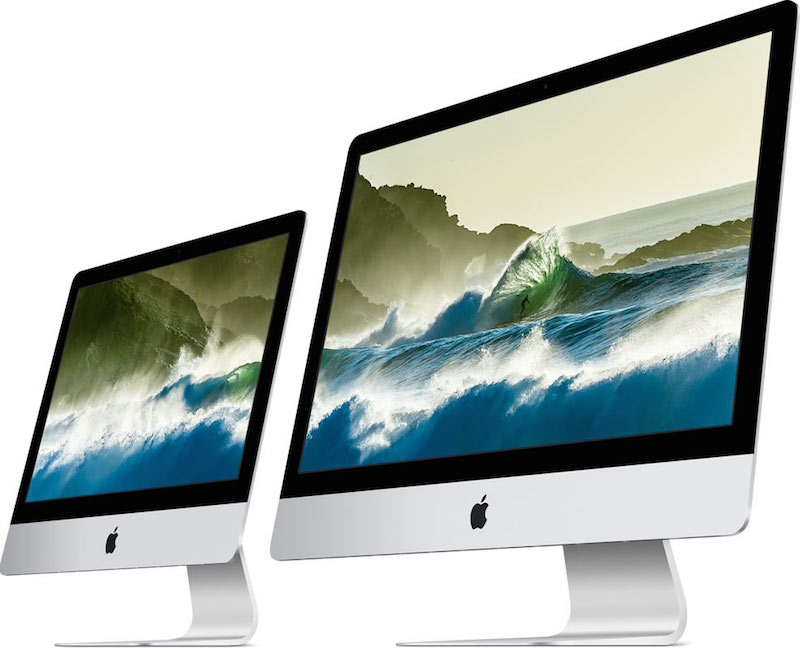
Today, Apple released new iMacs. The 21-inch model now features a Retina 4K Display, perfect for your new iPhone 6s. Other than that, both the 21-inch and 27-inch models are just refreshes with new Intel processors. However, through custom parts, the 27-inch iMac can be used with 64 GB of RAM. You can buy the new iMacs from the Apple Store today.


Monday, October 12, 2015

Apple Pay Coming To KFC and Chili's

I forgot to mention that full Apple Pay integration will also be coming to KFC and Chili's. I'm not sure if they have any rewards programs, but if they do, they'll probably be getting the same support that Starbucks will get. What's cool is that Chili's will have a small Apple Pay-enabled kiosk that will enable people to pay with Apple Pay from the table and leave without needing to pay an actual person. Let's hope we see more restaurant chains doing this in the near future!

Sunday, October 11, 2015

Apple Pay Coming To Starbucks

Apple Pay is coming to Starbucks, and here's why you should care. At Apple's WWDC event, whenever they talk about Passbook, Wallet, or Apple Pay, it's always a disappointment to see what they talked about isn't available, or at least doesn't function as advertised, at launch with the launch of the next iOS release later that year. However, Starbucks is going to prove this wrong with a fast rollout (hopefully) next year. Let me explain... At WWDC, Apple revealed that you'd be able to hold your iPhone (or Apple Watch) near a compatible NFC reader, and it would pull up any rewards card or coupons for that store. Then, you'd use Touch ID to beam that info to the terminal and it'd be applied to your transaction. Sounds pretty cool, right? Now my hope is that Starbucks will implement this into their system, allowing users to use their Starbucks gift cards to earn Starbucks rewards all via NFC and Touch ID. That's my hope anyways... Apple Pay VP, Jennifer Bailey, says it will support Starbucks Rewards, and she did brag about this feature at WWDC, so I think that's a reliable source. However, we have seen other companies go back on their word to support Apple's services (Adobe, Fitbit, etc.). Anyways, let's hope we get this feature.

Saturday, October 10, 2015

Peek and Pop

With 3D Touch on the iPhone 6s, you can use the new features Peek and Pop. You can use this is in the Messages app (with convos), Mail app (with emails), links, and more! To use Peek and Pop on an eligible item, just press hard on it to Peek and press even harder to Pop. Peek gives you a preview of your content and Pop lets you view it in full screen. In Peek mode, you can swipe up to reveal options, like quick replies in Messages. I hope this helps!

Friday, October 9, 2015

Buy iPhone 6s SIM-Free

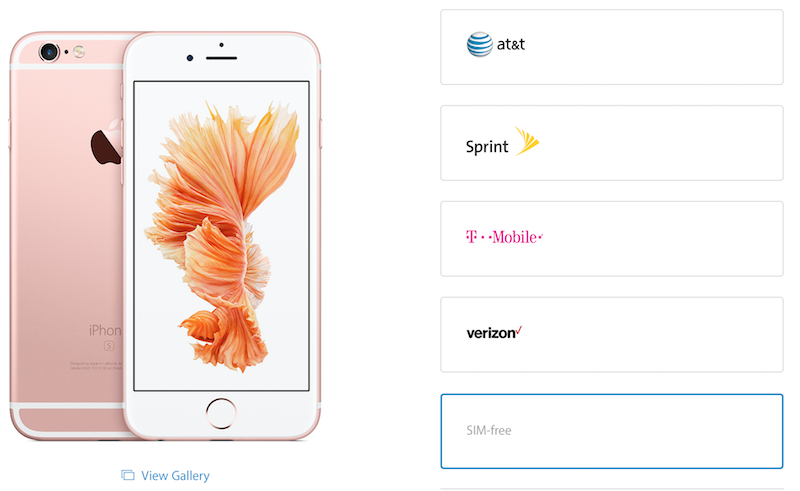
If you want to buy iPhone 6s without a SIM card, now is the time! You can buy an iPhone without a carrier from the Apple Online Store. This is useful for people who travel to different countries a lot. It's also good for people who want to choose their own carrier and those who don't want to worry about commitments with carriers. You do have to pay full price since it's not with a contract. You can buy a SIM-free iPhone 6s from the Apple Online Store.

Image Credit: MacRumors

Thursday, October 8, 2015

Amazon and Warranties

If you buy accessories from Amazon, here's a little life hack. The other day, I had one of my wall chargers malfunction, so I contacted customer service and I was able to register my warranty with my Amazon order number and find out when I purchased it from my Amazon order history (think digital receipts). I find that a lot of accessory manufacturers that sell on Amazon use Amazon order numbers to activate warranties and to find orders. With this, I was able to get a replacement very easily and frustration-free. I hope this helps!

Wednesday, October 7, 2015

How To Remove Live Photos

If you took a photo on your iPhone 6s and you wanted to remove the Live Photo (video portion) of it to, for example, save space, here's how to. Just find the photo you want to remove it from, select it, tap "Edit," and tap the circle icon in one of the corners of the screen (depending on how your phone is orientated). This will remove the Live Photo part of the photo. I hope this helps.

Tuesday, October 6, 2015

Disney Artists Try Out iPad Pro

Disney animators were sent some iPad Pros and Apple Pencils today. They got to try drawing on it and so far they were very impressed. For any aspiring artists out there, apparently, Disney artists used Procreate and Paper by Fiftythree as their test for the Apple Pencil (of course, those are apps that have been updated to work with iPad Pro). Anyways, it looks like becoming an animator for Disney has some perks.

Monday, October 5, 2015

Apple Watch Hermès Collection Now Available

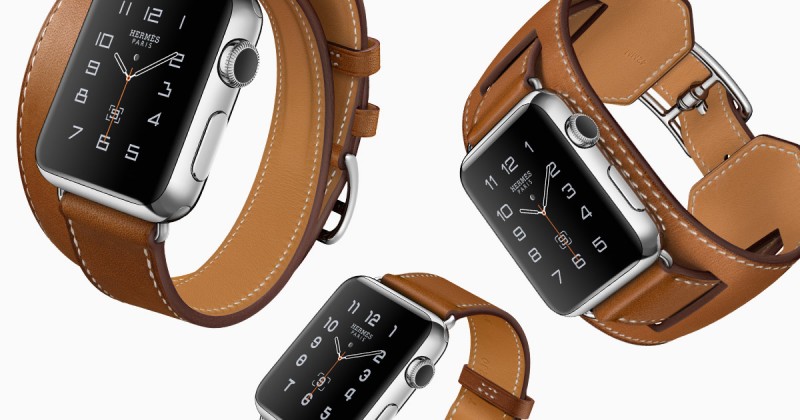
Apple Watch Hermès, Apple Watch's first collaboration with another watch maker, is now available in select Apple Stores and Hermès retail locations. What makes these watches so cool in my opinion is the custom, exclusive watch face that comes pre-installed on the watch. These watches come in three styles: Single Tour, Double Tour, and Cuff. All of these come with the regular Apple Watch (Stainless Steel). It even comes with a custom orange-ish box. These are only available in stores.


Sunday, October 4, 2015

The Best Way to Use Siri

Although Apple is pushing the "Hey Siri" command, I personally thing the best way to activate and use Siri is still through the home button (at least when you're holding it or if it's in close proximity). Just hold down the home button, talk, and then release the home button. Think of it like a walkie-talkie or an intercom. This saves a lot of time with Siri as you don't have to wait for the phone to detect the end of your speech. I hope this helps!

Saturday, October 3, 2015

Apple TV Universal Search API

The next Apple TV will allow users to search for media across multiple search engines, like HBO and Netflix. There are currently five search engines (iTunes, Netflix, Hulu, Showtime, and HBO), but Apple plans to make an API for other services to have their search integrated.
"At launch we’ll have iTunes, Netflix, Hulu, Showtime, and HBO — so we’ll have five major inputs into universal search initially. But we’re also opening an API, so that others can join in. I think that many, many people will want to be in that search. And that’s great for users. Think about your experience today. Even if you’re fortunate enough to have the content you want to watch in an app, you sometimes don’t remember exactly where that show is, so you’re going to Netflix or Hulu or Showtime. You shouldn’t have to do that. It should be very simple."
- Tim Cook 

Friday, October 2, 2015

Apple TV and Bluetooth Controllers

While the next Apple TV supports Bluetooth controllers, it can only support two at a time, in addition to the Apple TV remote and iPhone controllers. This was a major letdown to many developers, including one who wanted to make an eight-player party game and purchased a bunch of MFi controllers. I do like the idea that iPhone can be used as a controller because everyone has one and they don't have problems of other controllers, but many gamers do prefer a controller with physical buttons. Limiting those controllers and pushing Apple's limits what games on Apple TV can do and leaves the market strictly casual.
"Well, this is a bit of a bummer. We just got word from one of the developers who were lucky enough to win the Apple TV dev kit lottery (Who we're not naming because we don't want to cause more Apple TV NDA drama!) who raced out and bought a ton of MFi controllers with the hopes of making a 8 player party game. These hopes were quickly dashed as they realized that the new Apple TV will only connect to two external Bluetooth devices at once, along with the included remote."

Thursday, October 1, 2015

Amazon Will Stop Selling Apple TV and Google Chromecast

Amazon will stop selling Apple TV and Chromecast from it's online store on October 29th. For those who don't know, Amazon has it's own TV set-top boxes yearning for some of your TV's real-estate, Fire TV and Fire TV Stick. Amazon's reason is that they don't support Amazon Prime video.
"Over the last three years, Prime Video has become an important part of Prime. It's important that the streaming media players we sell interact well with Prime Video in order to avoid customer confusion."
 While that may seem like an almost legitimate response, since Roku and other devices that support Prime Video remain on the store, I think the real reason is that they are competitor products in general. And that's not good for business if your selling another company's product. That'd be like Microsoft selling iPads to customers who trade in their Surface. After all, Prime Video is not an important part of Prime, Prime Video is not a deal breaker for many, and the lack of Prime Video on a media player would, for the most part, not cause customer confusion. Have you seen the Amazon Prime ads? They all advertise Prime Video and Prime Kindle Books instead of the flagship feature of free two-day shipping. It's because they've been failures and no one's using them. Anyways, that's my rant. If you want the next generation Apple TV, don't expect Prime Video.

Wednesday, September 30, 2015

3D Touch Pan and Select

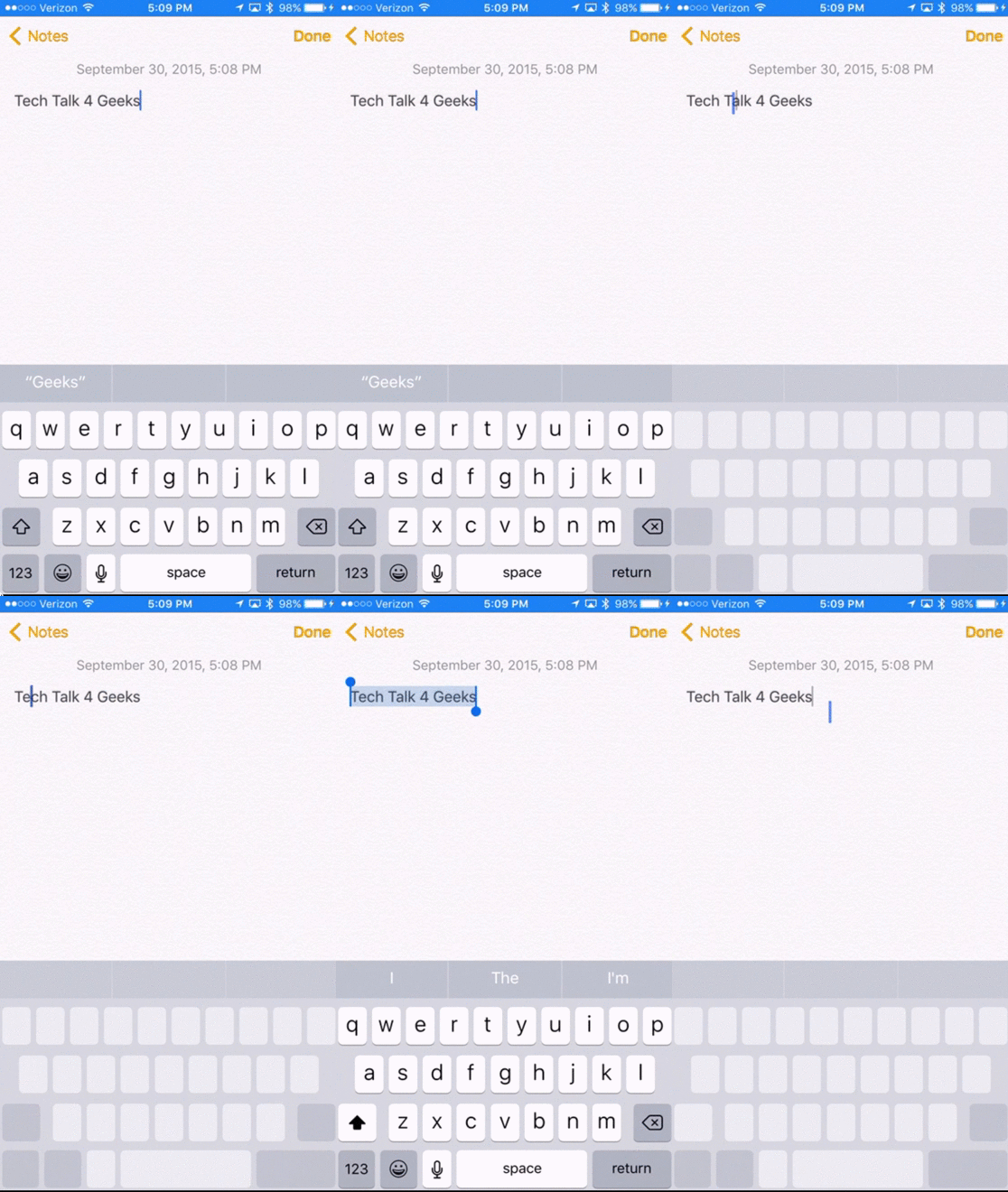
If you've ever had trouble panning through text on your iPhone, 3D Touch is there for you. Just force press (press hard) on the keyboard and you can easily pan across the text on your screen. You can even select text by hovering over your selection twice. To see what I mean, check out the GIF below.


Tuesday, September 29, 2015

Search Settings

In iOS 9, one of the most useful features is the ability to search the settings within the Settings app. To do this, just open the Settings app, and pull down to reveal the search bar. From here, you can type in keywords of what you want to find within the Settings app. They don't even have to be exact search terms. The search uses generalized keywords to find your results, if that makes any sense. You have to try it to understand it... I hope this helps!

Monday, September 28, 2015

iPhone 6s: Speed

With 2 GB of RAM and a better CPU, the iPhone 6s is the fastest iPhone to date. It works fast with iOS 9 and has a consistent fluid experience. One thing I notice about this is that Siri works much faster. I don't typically use Siri because I type faster than Siri dictates on my old iPhone, but I found that she has an immediate response and action ready for me almost instantly. This is useful for me when I need to send out a quick text. The speed of iPhone exemplifies how well software and hardware work together when they're designed together.

Sunday, September 27, 2015

iPhone 6s: Touch ID

I can't stress enough about how fast Touch ID is on the new iPhone 6s. Every time I need to open my phone, I just press the home button to wake it, and in less than a second, I'm at my home screen. Although it seems like a minor feature, one could argue that this will save me a couple of months or years over the course of my life. Honestly, I really love this improvement because I use it each time I wake up my phone. If you have an iPhone 6s, definitely enable Touch ID (Settings > Touch ID & Passcode).

Saturday, September 26, 2015

Video Recording on iPhone 6s

As you know, iPhone 6s is capable of taking 4K video, but what you might've not have known is the catch that comes with it. And no, I'm not talking about the extra space it takes up. 4K video is actually taken with 30 fps, instead of 60 fps. 1080p video can still be taken with 60 fps. You can change this by going to Settings > Photos & Camera > Record Video > and choose which option you want. I hope this helps.


Friday, September 25, 2015

iPhone 6s: First Impressions

Today, I tried out an iPhone 6s at an Apple Store. Here are my first impressions. Compared to my iPad Air 2, the iPhone 6s is definitely twice as fast, if not more, than the iPad. 3D Touch is very comparable to Force Touch on the Apple Watch. It does a very light vibration when you do it. Live Photos is nice if you have the right situation. Not good for faster motion, as it only captures 15 fps for Live Photos. However, I found a really good Live Photo taken within the Apple Store (not even a demo picture), so there's a lot of potential. Anyways, hopefully I'll be able to do a more extensive review in the near future. 

Thursday, September 24, 2015

iPhone 6s Plus Doesn't Bend!

Remember how the iPhone 6 Plus had cases of bending in people's pockets? Well, Apple has cleared that off their reputation thanks to the series 7000 aluminum they used in the iPhone 6s and iPhone 6s Plus! FoneFox did a video on bending it. Trying to intentionally bend it with hands, proved to do minimal damage. When a stronger man assisted, not much more damage occurred. Be sure to check out the video below, however viewer discretion is advised.