Today is the Super Bowl, and streaming it is easier than ever in 2019. If you go to the TV app on Apple TV, you may find small promotional icons for the game. However, the game is front and center in the Sports tab. Simply click on any icon relating to the Super Bowl and you should be given the appropriate redirection to the CBS app. Alternatively, you should be able to stream the game through PlayStation Vue if you have an active subscription. The CBS app does require an active subscription, but if you haven't used your free trial yet, this may be the time to use it. Enjoy the game!
Showing posts with label tvOS. Show all posts
Showing posts with label tvOS. Show all posts
Sunday, February 3, 2019

Monday, January 7, 2019
The Current State of Apple TV
I've been waiting for a good tvOS update for about two years now, but to no avail. With the news of AirPlay 2 and HomeKit coming built-in to Samsung, LG, and Vizio Smart TVs, the future of the Apple TV seems bleak. There can be a lot of reasons for this. The Apple TV only offered access to their media stores, which can be circumvented with Movies Anywhere. The tvOS App Store is very lacking, other than media apps. The only thing Apple TV has over Smart TVs is the promise of updates and continuity. My household has three Vizio TVs and each has a different OS, and each works very different. Apple TV brings consistency to its interface. It also has my Up Next from my iOS devices. If Apple went the way of CarPlay with tvOS and brought tvOS to TVs, it could work well. Apple gets publicity and consumers waste one less HDMI port. The Apple TV box seems more like a waste of space that could easily be built into the TV.
Tuesday, December 18, 2018
Charter Spectrum on Apple TV Delayed
In June, Apple said that Charter Spectrum would have a tvOS app and Zero Sign-On by the end of 2018. However, it seems that plans have changed. Instead of saying that the feature will come "later this year," the page states that it is "coming soon." Zero Sign-On would allow Apple TV to sign you into your cable subscription using your broadband connection details alone, bypassing any credentials.
Friday, September 28, 2018
TV App Customization
The TV app is seriously lacking in the amount of customization. It has so much potential for a good “Today” page. I think Apple should make an effort to let users customize the Up Next page. Movies have no way of being sorted in tvOS. Movies on macOS can be sorted into playlists, but they don’t sync to Apple TV (they also appear in Apple Music which is annoying). With Marvel movies as popular as they are, wouldn’t it be Apple’s best interest to add a section for Marvel movies below the Up Next queue? If I buy one movie, then Apple could recommend other movies in the same cinematic universe and incentivize collecting them all, displaying them all on their own custom page. I rarely look below the Up Next section, but when I do, there’s never any content tailored to me. I would like to take control of it so the TV app becomes my own personal hub.
Saturday, September 22, 2018
My Experience with tvOS 12
I love my Apple TV 4K. It takes up so little of my TV's real estate, yet it's my TV's most used device. I think tvOS has so much potential but Apple neglects it in terms of big features. Notifications for new episodes, multiple user profiles, and better use of continuity are high on my tvOS wish list. But for now, this has been my tvOS 12 experience. Screensavers now have labels, which is awesome, but also long overdue. It's cool to try to figure out where a particular aerial may have been taken, and then tap the remote to discover it, but it gets old fast once you've seen them all. I haven't seen any aerials from space yet, so I look forward to seeing some fresh screensavers in the coming weeks. I haven't had the chance to use the new password system yet, since most of my apps were already signed in, but I hope it encourages developers to stray away from the "enter this code on this website" tactic. But most frustrating are these HDMI issues I've gotten since the update. I haven't seen many other reports of these issues, so this might be exclusive to me. One out of every five times my Apple TV wakes up, the screen is a garbled pink color, requiring me to unplug and replug my HDMI cable. In addition, I get a friendly reminder telling me that my HDMI cable is having trouble maintaining a stable connection, an error I never had on tvOS 11. Overall, a pretty lackluster update, but hopefully paves the way for a better update in tvOS 13.
Sunday, July 29, 2018
Apple TV CEC Control
One of the biggest issues I have faced for years is using Apple TV with other remotes. Typically, I have to pick up the main remote and turn on the TV and pick up the Apple TV remote to turn on the Apple TV. Then, if I want to turn the input to my Nintendo Switch, I have to change the input on the main remote and turn on the Nintendo Switch with my controller. I know this sounds really lazy, but there is a clear issue of continuity. And yes, I realize remotes didn't exist at one point. Anyways, my whole life was changed today when I discovered HDMI CEC (Consumer Electronics Control). Configuring these settings on your compatible HDTV (and compatible devices) will allow you to simply pick up your Apple TV remote and press a button. Then the TV will turn on and switch to the Apple TV input, all with one button! When the Apple TV goes to sleep after a while, the TV will turn off. There are many different configuration methods based on your brand of TV, so check Apple's guide if you need help setting it up.
Friday, July 27, 2018
The Issue with tvOS and Up Next
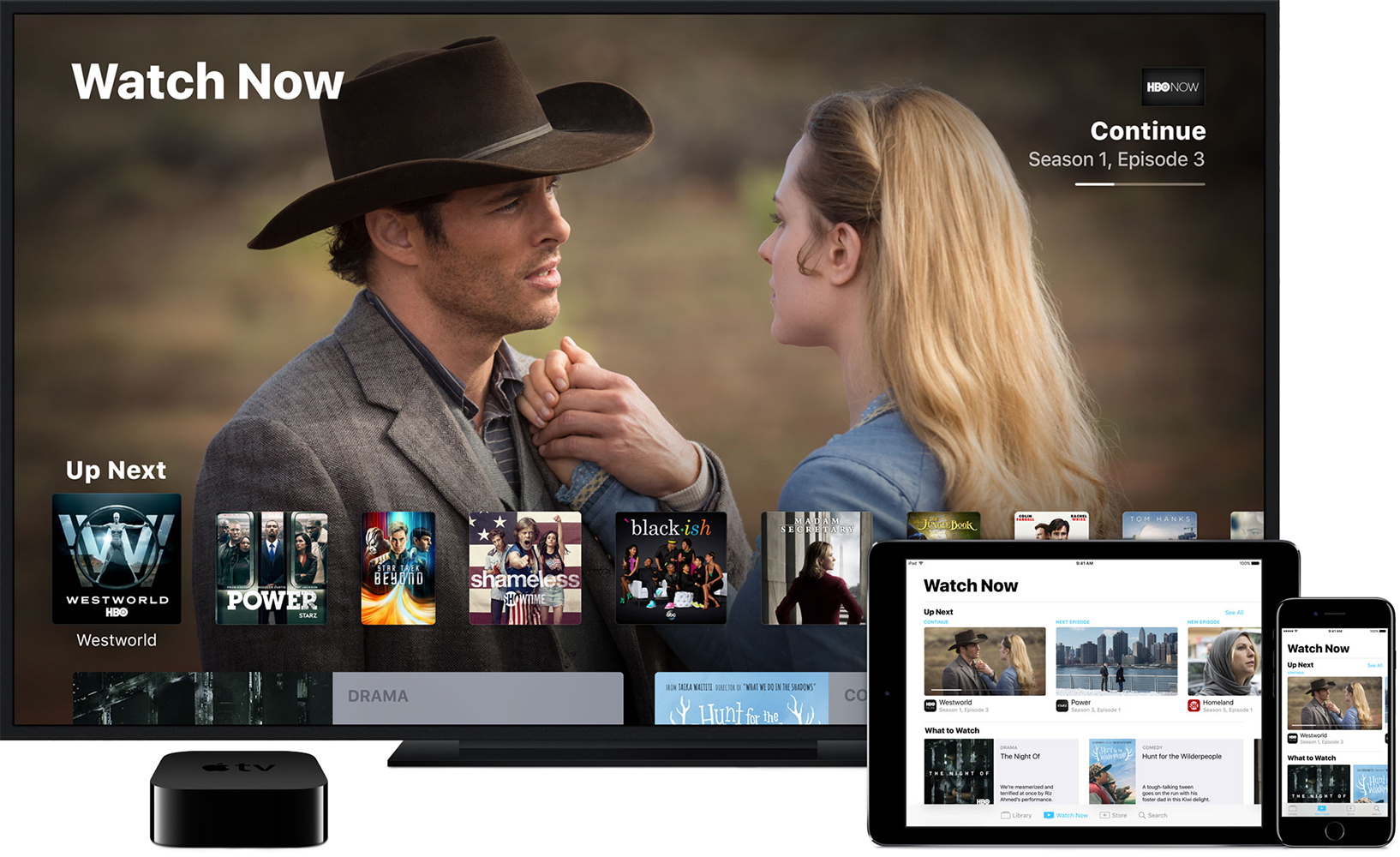
tvOS has been lacking for a while in my opinion. Apple has definitely been taking steps in the right direction, but innovation in the OS has been few and far between. A while back, Apple added Up Next to the TV app on Apple TV and iOS. I've been using it too keep track of shows I want to watch. Part of the problem I have is that once you add shows, they're just there. They don't change position. It just piles up. I feel like if Apple let you change the position and make your own "channel" of video, Apple would have something really good. When I finish a movie or TV show, they don't disappear from Up Next. If I finish a movie, the sequel is not added to my Up Next. The TV app has potential, as Apple makes it the perfect home for your own personalized "TV Guide." But Apple clearly hasn't acknowledged that this year, and probably won't for sometime.
Wednesday, May 23, 2018
The State of tvOS
tvOS takes up a very small portion of WWDC each year. It makes some sense. tvOS isn't the most integral product in Apple's lineup. However, I think if Apple is going to put more focus in fixing bugs in iOS 12 and macOS 10.14, we should see more tvOS features to compensate. I always forget that tvOS exists until the update pops up on the device. Then, I see about three notable features that I'll never use. Amazon Prime TV is not a feature, it's an app developed by Amazon. That should not be one of the biggest "features" of tvOS 11. While I don't have any feature suggestions at the moment, I think it's time for Apple to finally wow us with what the Apple TV is capable of.
Friday, July 28, 2017
4K Movies Coming to iTunes?
This is exciting. While many, including myself, do not own 4K TVs yet, the idea of iTunes adding 4K movies is a huge stepping stone for the adoption of 4K. It also gives us insight for upcoming products, like the Apple TV. From MacRumors, listings for some movies showed availability for "4K, HDR" resolution. While it was unable to download at this resolution, it basically confirms 4K is coming. Let's see if we get an updated Apple TV this fall.
Saturday, April 29, 2017
tvOS Predictions
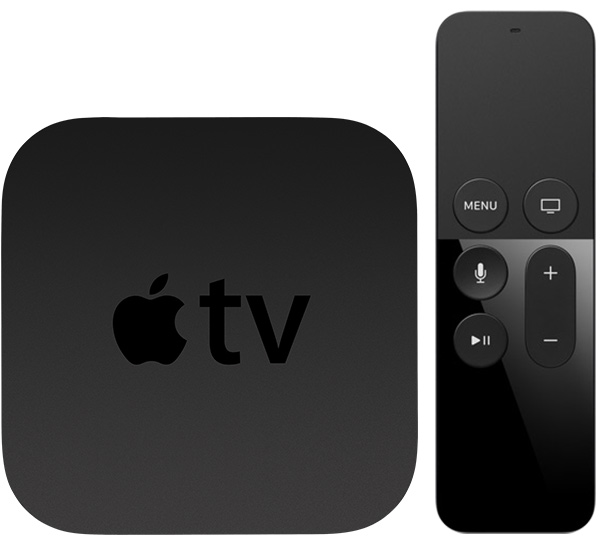
According to 9to5Mac, tvOS 11 will have Picture-in-Picture and User Switching. It's funny because I literally had these two ideas just before this article came out. Unfortunately, I didn't write that blog post before this came out, so just take my word for it. The TV has historically been the American family's gathering place after a long week. While that has died out with every screen having a TV on it, it doesn't hide the fact that the Apple TV needs multiple user profiles. Amazon Echo even has this. The other feature, Picture-in-Picture, helps make use of the "smart" aspect of the smart TV. What good is an Apple TV if you can't do anything while content is playing? Anyways, I definitely hope these features get added at WWDC.
Monday, March 27, 2017
Newest iOS, macOS, watchOS, and tvOS Versions Released
Apple has finally released their latest updates to iOS, macOS, watchOS, and tvOS. iOS 10.3 includes Find my AirPods. macOS 10.12.4 includes Night Shift. watchOS 3.2 includes Theatre Mode. tvOS 10.2 includes improved scrolling. Be sure to install these major updates when you get a chance.
Thursday, March 16, 2017
New Apple TV for 2017?
According to Firi Games, developer logs have shown a new model identifier for a new Apple TV. Getting technical, the identifier is "AppleTV6,2." The current identifier is "AppleTV5,3." It also seems to appear to run tvOS 11, which is to be expected. The details on this are cloudy, but it will likely support 4K video if nothing else, based on previous rumors. We may see at WWDC, or more likely at Apple's September event.
Saturday, January 21, 2017
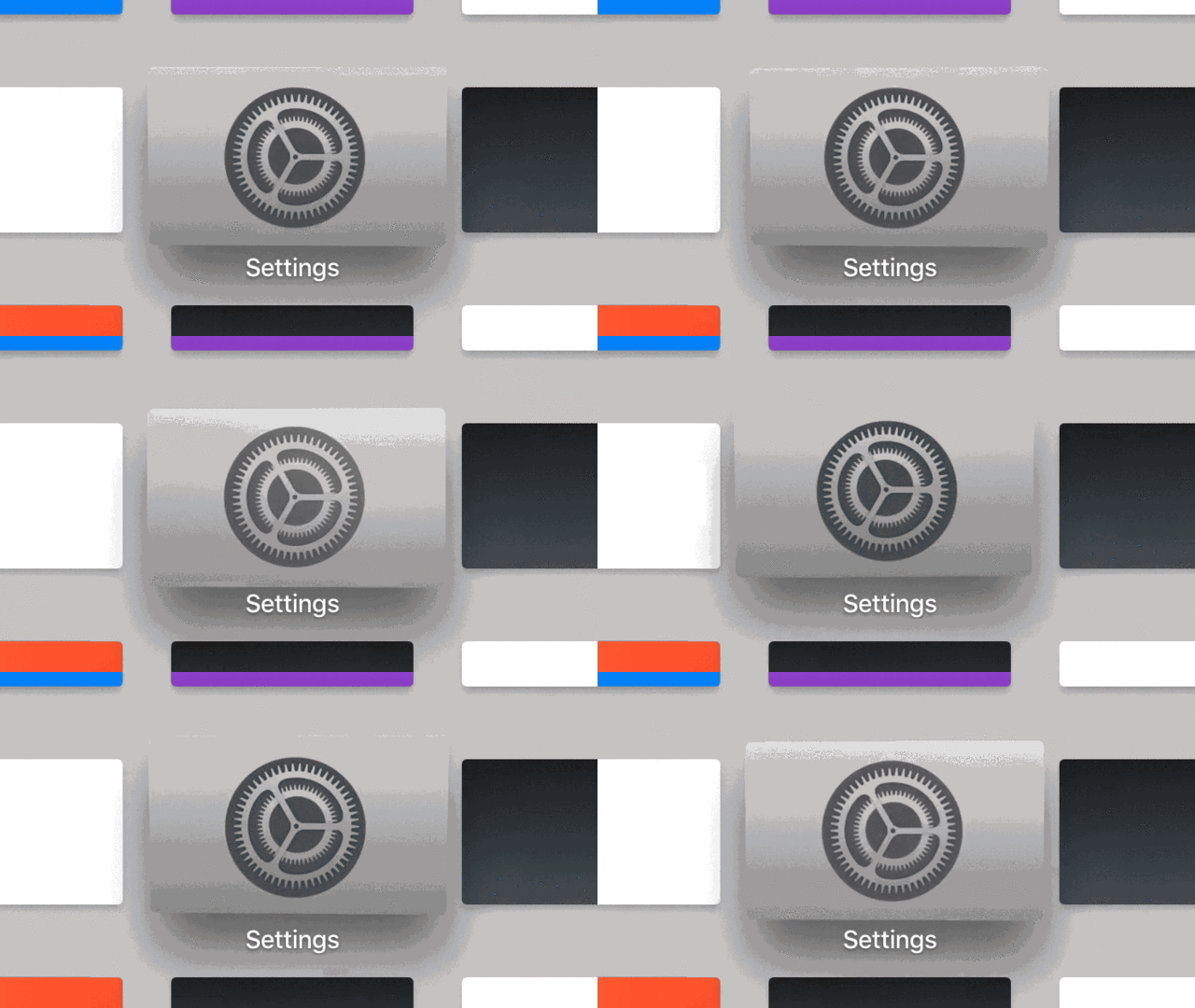
tvOS Like Interface for Apple VR?
 |
| Layers of The Parallax Effect |
 |
| The Parallax Effect |
Thursday, January 12, 2017
tvOS Maximum App Sizes Increased to 4GB
There was a lot of controversy about how tvOS apps were limited to just 200MB upon launch. This would cause apps to resort to downloading data after install, which was inconvenient to the user. Apps like Infinity Blade would have no chance on the Apple TV without this loophole. But now, tvOS apps can now be a maximum of 4GB. It's clear that tvOS isn't the most popular platform in the Apple ecosystem, nor should it be, but I think it's important to make its app store as convenient as Apple's other app stores.
Monday, December 12, 2016
iOS and tvOS 10.2 Released
iOS and tvOS 10.2 have been released today, which means the TV app is now available. The TV app adds some cool features. It puts all of your shows in one place, letting you queue and access TV shows and movies. If you have a cool provider (i.e. not Time Warner Cable), then you may have access to Single Sign-On, letting you sign in to all of your video apps with your service provider. iOS 10.2 is available to compatible iOS devices starting today. tvOS 10.2 is available to fourth-generation Apple TVs starting today.
Thursday, November 3, 2016
Single Sign-On In Beta
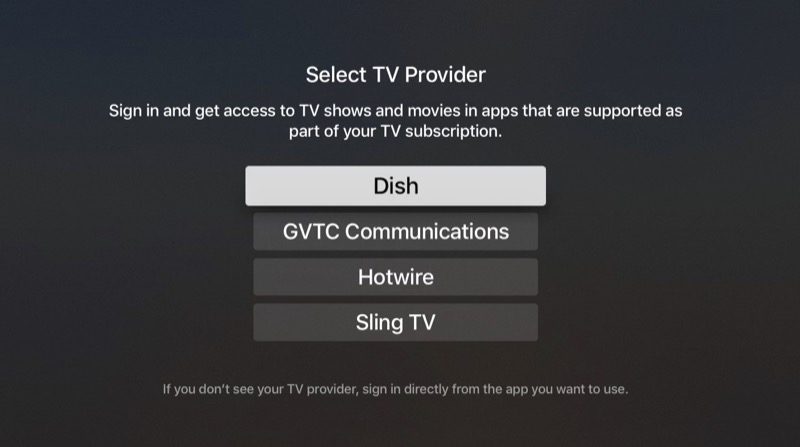
Single Sign-On allows you to access all of your streaming video through your TV provider with a single sign-on. For example, if you want to use the CBS app, you would normally have to sign in with your TV provider, then watch your shows. Then, you use the FOX app. Again, sign in. With Single Sign-On, you sign in once in Settings, and it works across all your apps. In the latest betas of tvOS and iOS, this feature has finally been activated. It only works with Dish, GVTC Communications, Hotwire, and Sling TV. The amount of providers is expected to grow as the full release comes.
 |
| Image Credit: MacRumors |
Wednesday, June 15, 2016
A Quick Recap of WWDC 2016: tvOS 2
At WWDC, Apple announced the first major update to tvOS, the operating system for Apple TV. So, let's dive into the details.
tvOS 2
tvOS 2 adds some great new features to your TV. Starting with Siri, you can ask for movies based on topics or search content via apps ("Search YouTube for cat videos"). If you use streaming services, you know what it's like to sign in to them. You get a screen with a code and you have to go on your computer to complete the process. Single Sign-on fixes this. You now just have to sign in once with your TV provider on your TV, and compatible apps will use this login. There's also a dark mode, similar to the dark mode in macOS. Photos and Music now reflect the new designs in iOS 10. An app will be released that will allow you to control your new Apple TV. I'm not sure if this is the Remote app, or a completely new app. HomeKit is now available from Apple TV, so you can control your HomeKit enabled devices from your couch. Finally, if you download an app on your iPhone that has a tvOS app, it'll automatically download to the Apple TV. Overall, there are some nice features here that will help you better enjoy your content.
Friday, June 3, 2016
WWDC 2016 App
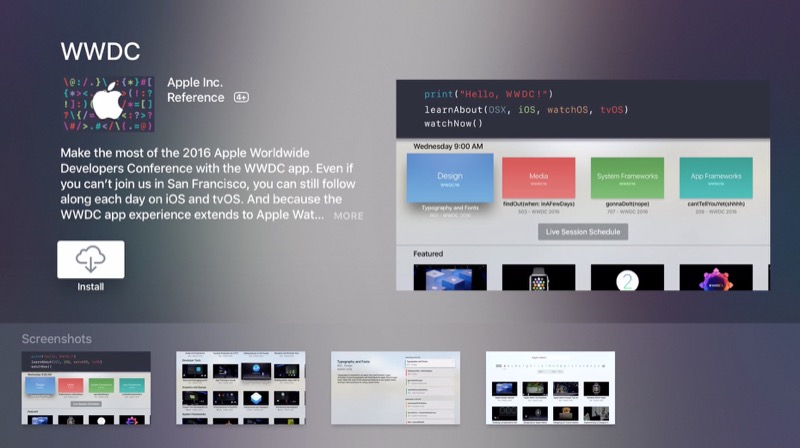
Apple has updated their official WWDC app to work as a companion app for 2016. This update adds compatibility for the new Apple TV. This means that you can easily stream WWDC sessions, including the keynote, to your new Apple TV. The update also adds multitasking support for the iPad. WWDC is available for free from the Apple App Store [Direct Link].
 |
| Image Credit: MacRumors |
Saturday, April 16, 2016
Live Tune-In
In a big push to make your Apple TV experience more like your normal TV experience, Apple has added a feature called Live Tune-In. On new Apple TVs, you can use Siri and ask her to tune you to a channel. For example, "Watch CBS." This works with channels whose apps support Live Tune-In. In addition, you must already be able to sign in to these apps, most likely via your TV provider. Be sure to update to the latest version of tvOS to try this out!
Sunday, April 10, 2016
Apple Releases "Father Time" Ad
Just in time for Kobe Bryant's last NBA game this Wednesday, Apple has released an Apple TV ad starring the basketball player and Michael B. Jordan. Basically, the ad showcases some of the Apple TV's Siri functionality, specifically in movies. As for the main plot of the ad, I think you'd be better off watching the ad rather than have me attempt to explain it. The video is embedded below.
Subscribe to:
Posts (Atom)