Wednesday, December 31, 2014

Google Makes 2014 New Year's Google Doodle

As we all know, Google makes Google Doodles that go on their homepage, usually depicting something that captures the theme of that day. Today, you'll find a Google Doodle depicting some of the top searches of 2014. These include the 2014 World Cup, the Philae Philae robotic lander, the ALS Ice Bucket Challenge, the Mars Orbiter Mission, and Flappy Bird.
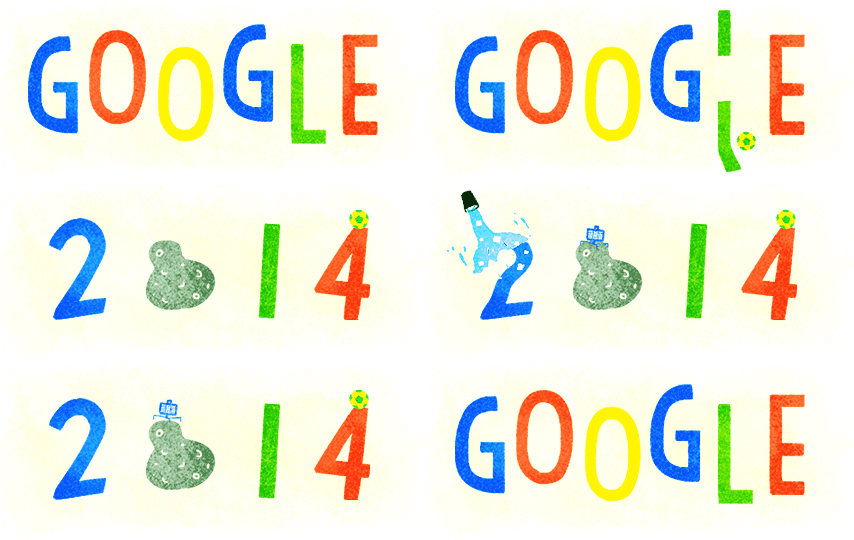

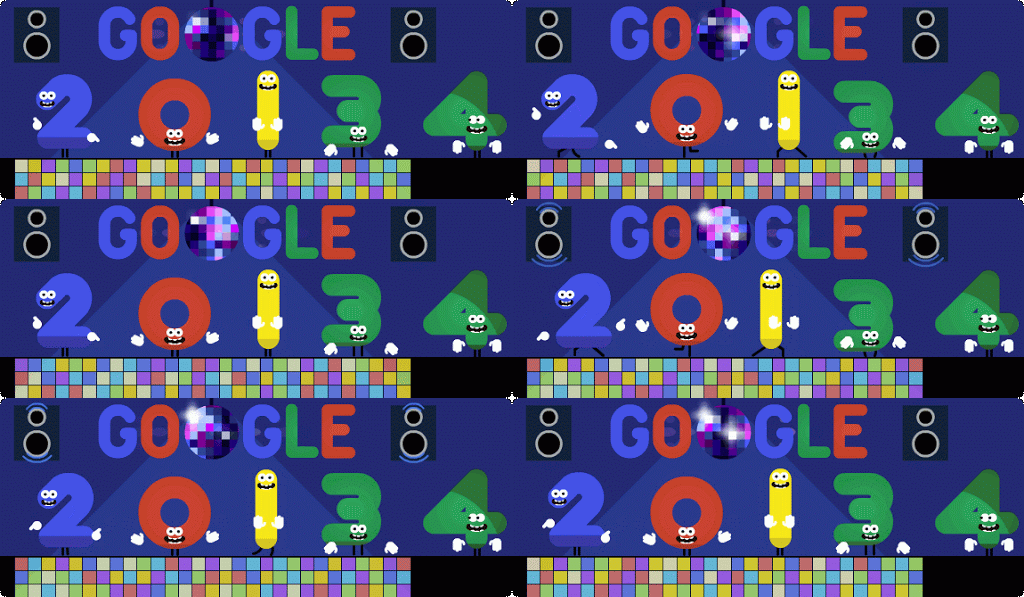
Just for fun, here's last year's Google Doodle...

Tuesday, December 30, 2014

Choose To Share Data With App Developers

In iOS 8, you can choose whether you want to share crash data with app developers. To check or change your settings on the matter, go to Settings > Privacy > Diagnostics & Usage > and apply your settings to the "Share With App Developers" switch. Will you be the reason your favorite app doesn't crash?


Monday, December 29, 2014

Chevron Will Have Apple Pay At Gas Pumps By Early 2015

Chevron has had Apple Pay implemented since its release, but customers would have to go to the in-store cash register. In a tweet, Chevron said that they are working on "solutions to integrate with Apple Pay at the pump by early 2015." We can only hope this comes soon...

Sunday, December 28, 2014

Customize The Contacts Shortcut

In iOS 8, Apple introduced a contacts shortcut that shows up in the app switcher. It shows recent and favorite contacts by default. However, maybe you just want favorites or no contacts at all... The fix is simple! Just go to Settings > Mail, Contacts, Calendars > Show In App Switcher (Scroll down to Contacts) > and select what you want to be shown. It should be noted that iPads and iPod Touches don't have a "favorites" option, so you either have recent contacts or nothing. I personally have favorites show up, but feel free to customize it to your desire! I hope this helps!


Saturday, December 27, 2014

100,000 Pageviews!

Today, Tech Talk 4 Geeks has reached a huge milestone! We have reached 100,000 pageviews! This is really amazing! I remember 2 short years ago, I thought that 100 page views was crazy. I thank each and every one of you for your support over the years. I hope I can make Tech Talk 4 Geeks a more enjoyable experience in the near future. Thank you!

Friday, December 26, 2014

The Lucky Bag is Back For Japanese Apple Stores

Every year in Japan, Apple does a promotion for lucky bags. A lucky bag, or a Fukubukuro, is a bag filled with random, assorted products or goodies. On January 2nd, Japanese Apple Stores will sell lucky bags for about $345, usually filled with iPods, headphones, or other products. Buyers can't tell what's in the bag before purchasing. This is restricted to Japanese Apple Stores unfortunately.


Thursday, December 25, 2014

Merry Christmas! (2014)

Merry Christmas! I hope your day was as fun-filled as mine. I hope to get some work done on at least one review done in the coming weeks. Anyways, have a great rest of the year! 

Wednesday, December 24, 2014

Track Santa on Google

With Google doing another Santa Tracker activity, along with some other cool apps, you can track Santa as he delivers toys around the planet. Just go to Google's homepage and find the link or follow this link. There are some cool apps in The Village as well. One of my favorites is the Code Lab. If you know what Scratch or Code Academy is, then you'll love it. Also, here's a message from Santa that he sent to you guys. Anyways, have a very merry Christmas!


Tuesday, December 23, 2014

iOS 8 in Black and White

With iOS 8, you can make the screen display in black and white. I don't know why you'd want this, but it's kinda cool. Just go to Settings > General > Accessibility > Grayscale > and turn it on. Now you can see iOS in black and white. Switch it again to get color back. Also, you can go to Settings > General > Accessibility > Accessibility Shortcut > and tap "Grayscale." Now, you can triple-click the home button to instantly get black and white awesomeness at anytime. Triple-click again to restore color. I hope this helps!

Monday, December 22, 2014

Critical Security Update For All OS X Users

According to Apple, users running OS X Yosemite, OS X Mavericks, and OS X Mountain Lion, should install Apple's critical security update "as soon as possible." Essentially, this patches multiple vulnerabilities with the Network Time Protocol, which is used a lot these days. This was even acknowledged by the U.S. government. I recommend installing this as soon as possible. To do so, open the Mac App Store on your Mac and click "Updates." Find the update and click install. The update looks like the picture below and should be easy to find.


Sunday, December 21, 2014

Delete iCloud Tabs

In iOS 8 and OS X Yosemite, you can now delete iCloud tabs from any device connected to your iCloud. Just go to iCloud tabs, and delete them by clicking on the "x" on a Mac, or swipe to the left on an iCloud tab on an iOS device. It's that simple! I hope this helps!

Click the "x" on an iCloud tab for OS X

Saturday, December 20, 2014

Quickly Find Attachments In Messages

Did you know that you can quickly access all of the attachments that you've sent in a conversation? Just go to a conversation and tap "Details" in the top-right corner. Scroll down to find all of the attachments in the chat. I hope this helps!


Friday, December 19, 2014

Remove iOS 8 Spotlight Suggestions

Let's be honest... Spotlight Suggestions in iOS 8 never really help us. I mean, it shows websites and App Store suggestions. If I need those, I'll go to their respective apps. So, how can I get rid of these annoying suggestions? Simple! Just go to Settings > General > Spotlight Search > and turn off Spotlight Suggestions. Now you can search without random suggestions and advertisements.


Thursday, December 18, 2014

Hanukkah Easter Egg in Google Search

As you may know, it's currently Hanukkah. If you search 'Hanukkah' (or a similar spelling) in Google, you'll be greeted with a Hanukkah themed Google page. There is a dreidel and a menorah. It's a nice little Easter Egg that not everyone will see. Be sure to check it out while it's there. I'm not sure how long it will it stay up, so enjoy it while it's still Hanukkah (December 16th - December 23rd for this year).


Wednesday, December 17, 2014

Apple Posts The Story Behind Holiday Ad 'The Song'

Today, Apple posted a behind the scenes look of this year's holiday ad, 'The Song'. It talks about he voice-o-graph and how Dana Williams, the granddaughter in the film, used musical talent and GarageBand to create her song. Check out the embeds below.


Tuesday, December 16, 2014

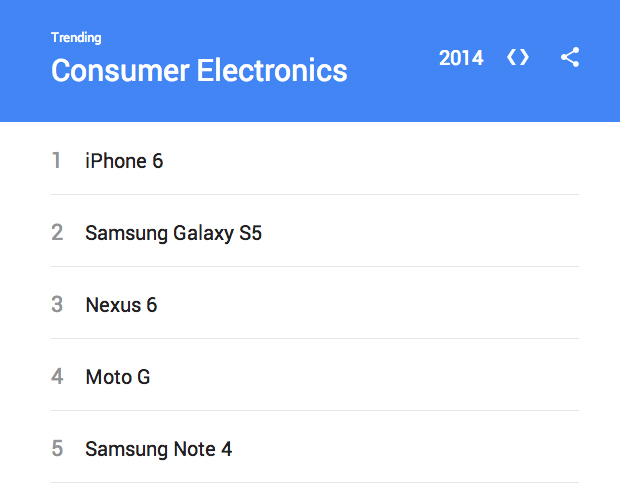
iPhone 6 Is The Most Searched Consumer Electronic On Google

Every year, Google will post a year in review page with a statistic on what were the most Googled searches in that year. This year, the search term "iPhone 6" outnumbered all the other consumer electronics. The runner-up is "Samsung Galaxy S5". What's interesting about this is that the Samsung Galaxy S5 has been available for about five more months than the iPhone 6. Last year, "iPhone 5s" took third place. Be sure to check out Google's year in review page, as it's very comprehensive and interesting.

Image Credit: MacRumors

Monday, December 15, 2014

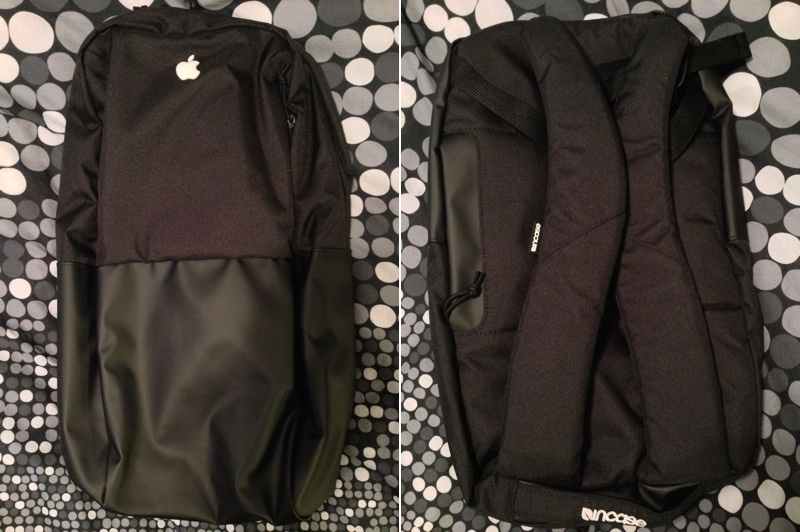
Apple Employees Receive Apple-Branded Incase Backpacks As Holiday Gift

Every year, Apple employees receive some gift from Apple for their hard work. This year, employees received an Incase backpack with Apple's logo on it. On eBay, employees are selling the backpacks for about $99, as opposed to the $59 retail price without the custom branding. 


In addition to the backpack, a poem was delivered to the employees.
This is our gift to you. 
But it can never compare to what you've given. 
What does it take to give a gift? It takes thoughtfulness. Compassion. And sometimes, sacrifice of your time, your talent, and your heart, 
These are the gifts you give: kindness, knowledge, humor, and patience. You give them when you cover for a teammate, so they can go on a much-deserved break. When you send an email recognizing a job well done. Or when you grab an extra coffee for a friend before you clock in. 
You give these gifts whether it's the beginning of the season, or the end of a very long day. You do it over, and over, and over again. 
Amazing products are designed in Cupertino. Amazing moments are made by you. These moments are your gift this holiday season -- to your customers, to your team, and to the world. 
Thank you.

Sunday, December 14, 2014

Apple Releases New 'The Song' Ad For The Holidays

As is tradition for them, Apple has released a heartwarming holiday advertisement. This year, it's called "The Song". It depicts a girl finding a present her grandmother sent to what seems to be her grandfather. The present included a note to the grandfather noting how they couldn't be together for the holidays and a record with the grandmother singing "Love Is Here To Stay". The girl secretly learns the song on multiple instruments and learns the lyrics. She then combines her song with that of her grandmother's. She leaves the audio file on an iPad mini with a note that says, "A Duet, Press Play". The grandmother listens to the song and looks at the pictures that were left with the iPad mini and the note. The memories bring the grandmother to tears of joy as the granddaughter watches from above.


Although last year's holiday advertisement, called "Misunderstood", has been taken down by Apple, you can watch a re-uploaded version in the embed below. Credit to Matthew Miller.

Saturday, December 13, 2014

Quickly Reply to Text Messages With iOS 8

Let's say you're watching a video and don't want to switch between apps to reply to a friend who's texting you. There's something for that in iOS 8. If you don't want to have to open the Messages app to reply to a message, just use this trick. When you receive a banner notification from a text message (shown below on left image), just pull down on it to get a reply sheet. From there, you can send a message without leaving the app. I hope this helps!


Friday, December 12, 2014

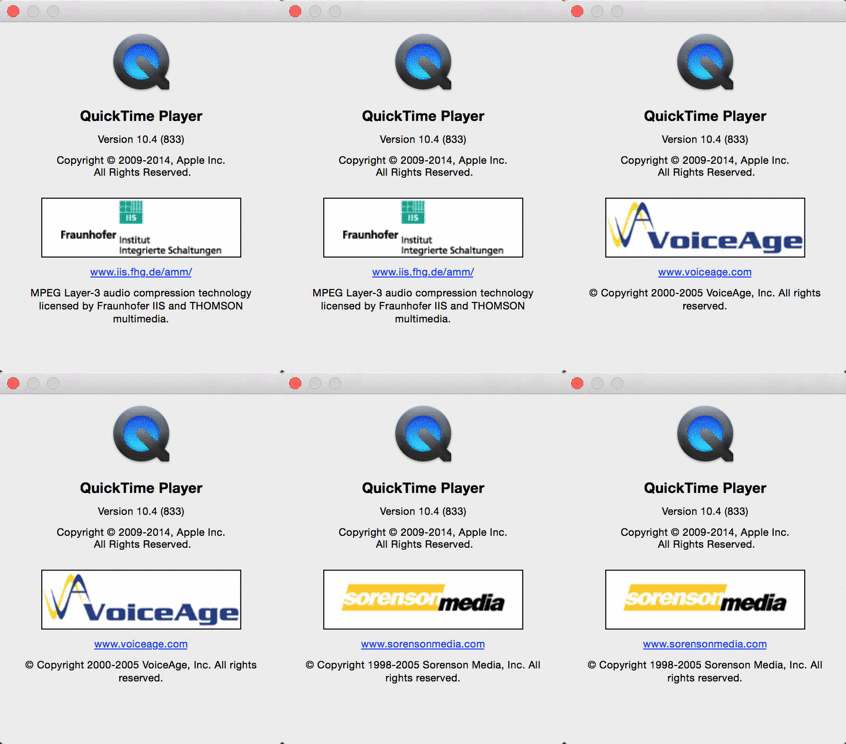
QuickTime Player Has Hidden Credits

The other day, I decided to randomly look at the "About QuickTime" window for no reason and stared at it for about 10 seconds. If you wait about that long, you will find the low resolution logos of companies who helped make QuickTime possible. It's a neat little Easter Egg. I think it's funny that Apple tried to hide it like that. Maybe it was because of the low resolution on the logos or that Apple plain-out didn't want to mention their existence. I mean, people barely look at the "About [Application]" section anyways. Why would they stare at it for 10 seconds anyways? Here's a GIF I made to stare at.