Showing posts with label Yosemite. Show all posts

Wednesday, April 8, 2015

OS X 10.10.3: Photos

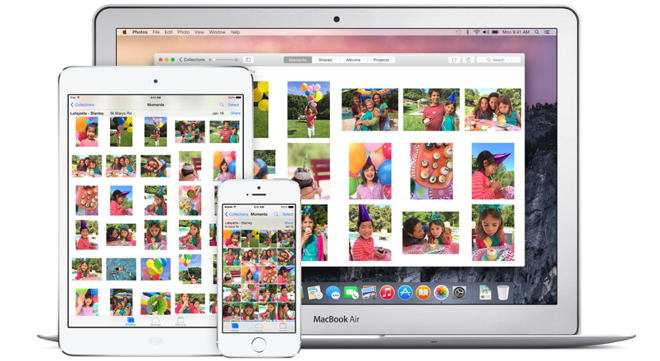
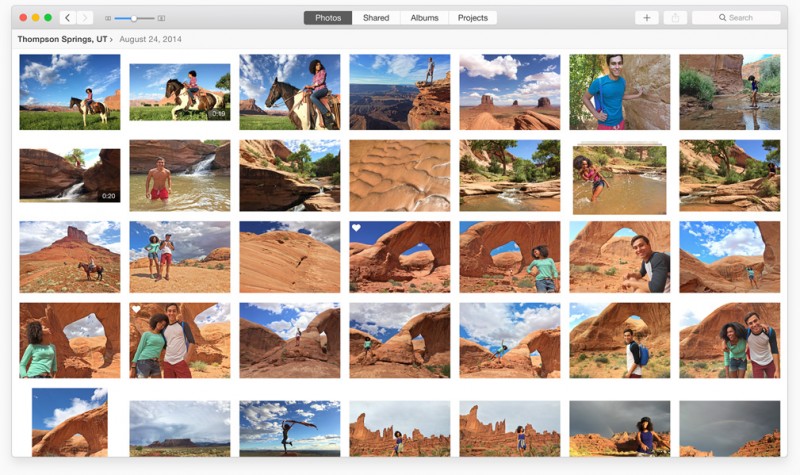
OS X 10.10.3 came out today and it comes with a new Photos app. Finally, I can get my iOS photos to my Mac without AirDropping or using iPhoto Photo Stream! With a harsh bidding to iPhoto and Aperture, this update is bitter-sweet. What's nice is that I can get my photos from my iOS device to my Mac onto this blog much faster. In addition, iPhoto Print Products (Books, calendars, and cards) are available in Photos. You can upgrade to OS X 10.10.3 via the Mac App Store.


Tuesday, March 24, 2015

Scenery

If you're an app developer, great images surrounding your app are essential for a successful marketing campaign. With Scenery for Mac, you can make great mockups for your app. Just add an image and see it on a wide variety of device frames, with a wide variety of backgrounds. Scenery for Mac is available for free (with in-app purchases) from its website.


Monday, March 2, 2015

Photos App for Mac Available To Public Beta Testers

If you were in the OS X public beta program, you can now get the Photos app for OS X. This means you can see a streamlined view of your photos like you do on an iOS device. Unfortunately, this leaves out certain power editing tools that were in Aperture, which is being discontinued. Beta test members can download this update through the Mac App Store.


Monday, February 23, 2015

OS X 10.10.3 and iOS 8.3 Will Introduce New Apple Emoji

In the next version of OS X and iOS 8, new emoji focusing around Apple's products will be added. The watch emoji will be an Apple Watch, the iPhone emoji resembles the iPhone 6, and the computer emoji resembles an iMac. Of course, since emoji is just code being replaced by an image, if you were to text any of these emojis to a non-Apple device, it wouldn't be an Apple product emoji.

Image Credit: MacRumors

Tuesday, February 17, 2015

Could Touch ID Come To Macs?

With iPads getting Touch ID, this leads us to wonder if Macs will get Touch ID. According to Apple.club.tw [Google Translate], they might. The idea is that MacBooks, Magic Mice, and Magic Trackpads would get Touch ID integrated. This rumor seems sketchy for several reasons. First, with a physical keyboard, Touch ID isn't as necessary for a Mac. Next, if the device used to unlock your Mac is connected via Bluetooth, there are certain uncertainties. They could be hacked (worst case scenario) or disconnected, causing features like Apple Pay, which requires Touch ID, unaccounted for. Anyways, that's my opinion. Feel free to leave your opinion in the comment section below.

Friday, February 6, 2015

OS X 10.10.3 Supports Google 2-Step Verification

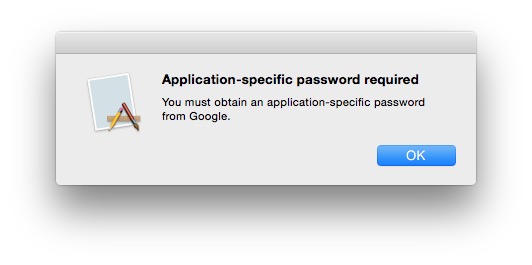
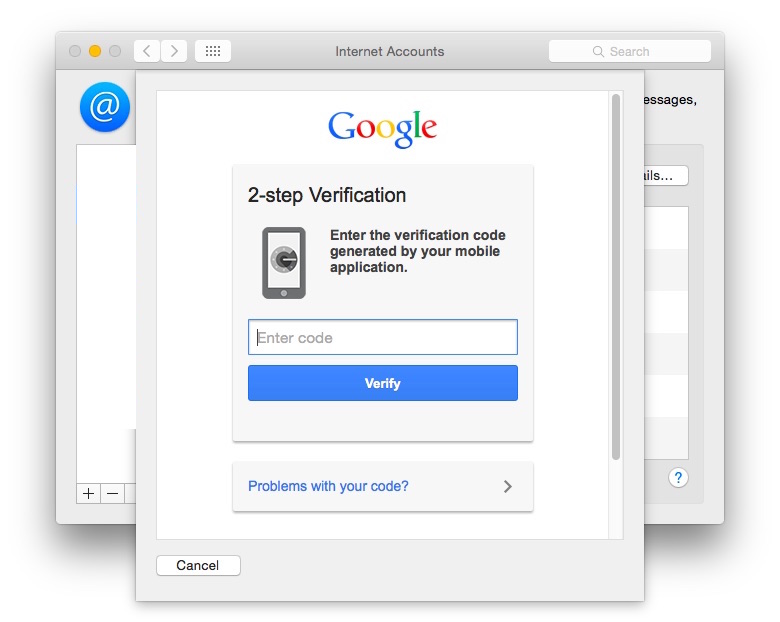
As mentioned yesterday, Mac OS X 10.10.3 beta was released for developers. You can now use 2-step verification in System Preferences for Google accounts. Previously, users would need an application-specific password. 2-step verification allows people to have a code sent to a device to prove their identity on any new devices accessing an account.

2-Step Verification Attempted in OS X 10.10.2
2-Step Verification in OS X 10.10.3 Beta
(Image Credit for both images: MacRumors)

Thursday, February 5, 2015

OS X Photos App Beta Now Available For Developers

In the first beta of Mac OS X 10.10.3, developers get a sneak peak of the Photos app that will replace iPhoto. The Photos app allows you to access the same photos you have on your iOS device, without the trouble of iPhoto's implementation of iCloud Photo Stream. If you're a developer, you can get the update through the Mac App Store's 'Update' section or through the Mac Dev Center.


Wednesday, February 4, 2015

Apple Making New Beats Music Service for iOS, OS X, And Android?!

According to 9to5Mac, Apple will make a Beats music streaming service that will be integrated in iOS and OS X. Strangely enough, Apple will be making an app for Android as well. That's something I'd never thought I'd hear myself say. The service could cost $7.99 a month, cheaper than Beats Music and other competitors' price of $9.99.
"Based heavily upon cloud streaming, Apple’s new service is centered around the user’s music library. A new search feature will be able to locate any song in the iTunes/Beats catalog, and users will be able to stream music from the catalog as well as add songs to their personal libraries. Users will be able to select specific tracks to store on their iOS devices and/or computers, or keep all songs solely in the cloud. Apple will also deeply integrate Beats Music’s Playlists, Activities, and Mixes features into the new service, letting users access a vast array of pre-made, human-curated playlists to fit various activities."

Thursday, January 29, 2015

iTunes 12.1 Update Comes With New Widget

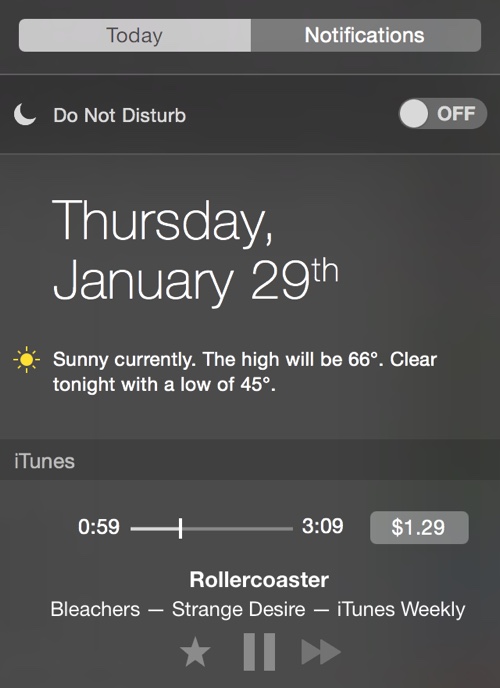
With OS X Yosemite came widgets. These widgets are accessible through Notification Center in OS X Yosemite. Today, iTunes now comes with a widget that allows you to have music controls in Notification Center. This is useful if you don't want to have to worry about where the MiniPlayer window is at or in which desktop. That's a huge step up for me. Anyways, you can get this update by going to the Mac App Store > Updates > and find the OS X update. A restart is required.

Image Credit: MacRumors

Wednesday, January 28, 2015

Apple Removes 2012 Mac Mini From Apple Online Store

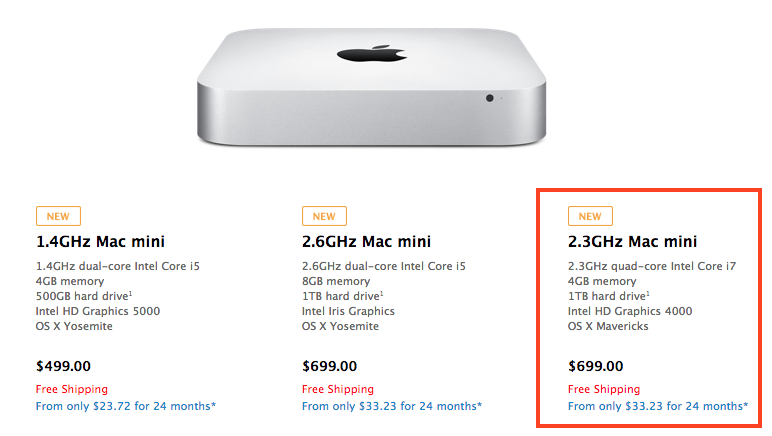
After strangely appearing on the Apple Online Store yesterday, the 2012 model Mac mini has been removed. There has been no statement on the matter. It may have been a miscommunication or, for all we know, a hack. Since these models are sold in the refurbished section of the store, it may have been an accident. Many people would've been pleased to see a quad-core Mac mini available for purchase, but it was strange that it shipped with OS X Mavericks, an operating system that is outdated.

Image Credit: MacRumors

Tuesday, January 27, 2015

Apple Sells 2012 Model Mac Mini On Apple Online Store

In a strange move, Apple has decided to sell a 2012 model Mac mini on their online store. Although it does have a quad-core Intel i7 processor and Intel HD Graphics 4000 (unique to this model), it only has 2.3GHz (gigahertz) and 4GB of RAM. What's more, it comes with OS X Mavericks. I've never seen Apple intentionally ship a new Mac with an old version of their software. It costs $699.99. You can find it in the Apple Online Store. It's not known if this is a mistake or a way to get quad-core processing back to the Mac mini.

Image Credit: MacRumors

Tuesday, January 20, 2015

Audio Hijack 3

Here's a great app that I've been needing for a long while. It's called Audio Hijack 3 and it lets you capture the audio from your computer's output and push it to an app like Skype. It can be used to record VoIP calls (Skype and similar services). You can record audio from DVDs. It can also set the volume past 100% if your built-in speakers don't cut it. You can get Audio Hijack 3 from the Rogue Amoeba website for $49 for new users, upgrade for $25, or, if you purchased Audio Hijack Pro since February 2014, you get it for free.


Tuesday, January 13, 2015

Apple Ends iTunes 'Single of the Week'

After 11 years, Apple has ended their "Single of the Week" promotion, which would allow any iTunes user to get a free song every week. Business Insider reports that an Apple Support employee told an Apple forum member about this.
"I contacted iTunes Support and they told me the decision was made to drop the free Single of the Week. Seems they don't want people browsing the Store anymore. I told them that the free single each week got me to the Store and I usually bought a few songs. Now, there's less reason to go. They've stopped the free single in other countries too."
- Bob Foss 
This comes after iTunes not participating in its annual "12 Days of Christmas" iTunes Store giveaway. It also makes people worried that Apple will stop their "App of the Week" promotion, which gives away an app each week.

Wednesday, January 7, 2015

Quickly Access Files In Prompts

Let's say you're opening a file in an application, but the file you're opening is buried deep down in a downloads folder way down in Magicant... However, if you have a Finder window open with that file in it, you can quickly access that file without navigating to it in the "Open File" prompt. Just drag the file you want from the Finder window into the prompt. This will quickly navigate to the file and highlight it so it can be opened. I hope this helps!

Friday, January 2, 2015

Apple Launches 'Start Something New' Campaign

Apple has launched a new Apple campaign called "Start Something New." It highlights real masterpieces from real people made on iOS devices and Macs. They're quite amazing. Each story shows what device the story was made on. In addition, the app used to make the story is also shown. Be sure to check it out!


Monday, December 22, 2014

Critical Security Update For All OS X Users

According to Apple, users running OS X Yosemite, OS X Mavericks, and OS X Mountain Lion, should install Apple's critical security update "as soon as possible." Essentially, this patches multiple vulnerabilities with the Network Time Protocol, which is used a lot these days. This was even acknowledged by the U.S. government. I recommend installing this as soon as possible. To do so, open the Mac App Store on your Mac and click "Updates." Find the update and click install. The update looks like the picture below and should be easy to find.


Sunday, December 21, 2014

Delete iCloud Tabs

In iOS 8 and OS X Yosemite, you can now delete iCloud tabs from any device connected to your iCloud. Just go to iCloud tabs, and delete them by clicking on the "x" on a Mac, or swipe to the left on an iCloud tab on an iOS device. It's that simple! I hope this helps!

Click the "x" on an iCloud tab for OS X

Friday, December 12, 2014

QuickTime Player Has Hidden Credits

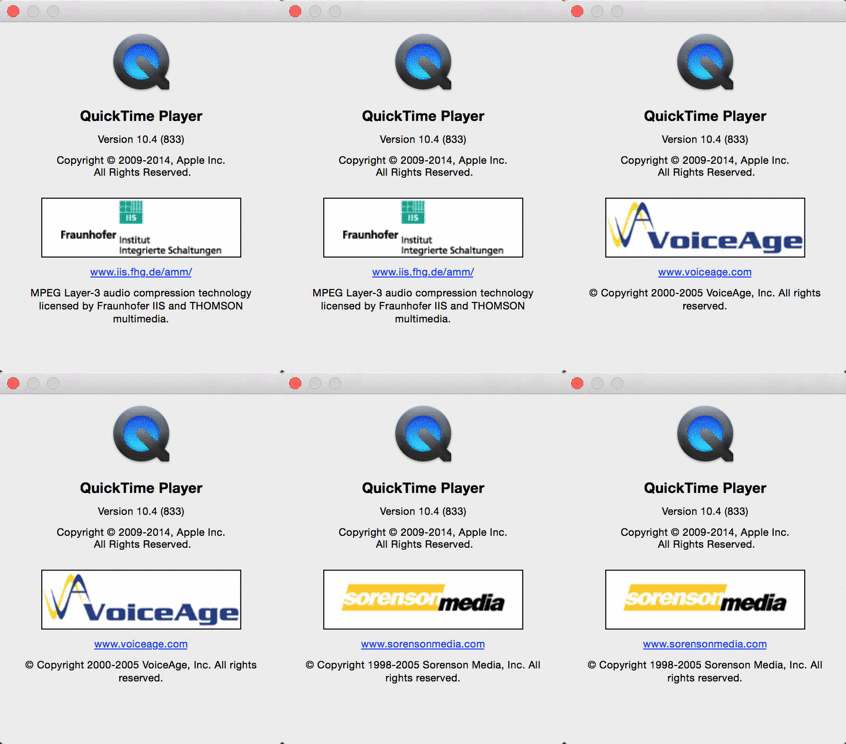
The other day, I decided to randomly look at the "About QuickTime" window for no reason and stared at it for about 10 seconds. If you wait about that long, you will find the low resolution logos of companies who helped make QuickTime possible. It's a neat little Easter Egg. I think it's funny that Apple tried to hide it like that. Maybe it was because of the low resolution on the logos or that Apple plain-out didn't want to mention their existence. I mean, people barely look at the "About [Application]" section anyways. Why would they stare at it for 10 seconds anyways? Here's a GIF I made to stare at.


Sunday, November 30, 2014

Calendar Events Have Different Icons Between OS X Yosemite and Mavericks

I think this is a neat little fact. In Finder, if you have events created before you installed OS X Yosemite, they have their old icons. If you have them after, they're simplified icons. This is probably something missed by the installer when it was parsing icons. Check it out.


Monday, November 24, 2014

Apple Releases New iPhone 6 Ads: 'Gamers' and 'Reservations'

Apple released two new advertisements for the iPhone 6 and iPhone 6 Plus. "Gamers" advertise the game, Vainglory, and the A8 chip. "Reservations" shows off continuity between iOS and Mac. They're pretty funny, so I suggest you watch them in the embeds below.