Showing posts with label iWork. Show all posts

Friday, February 13, 2015

iWork for iCloud Available Without An Apple Device

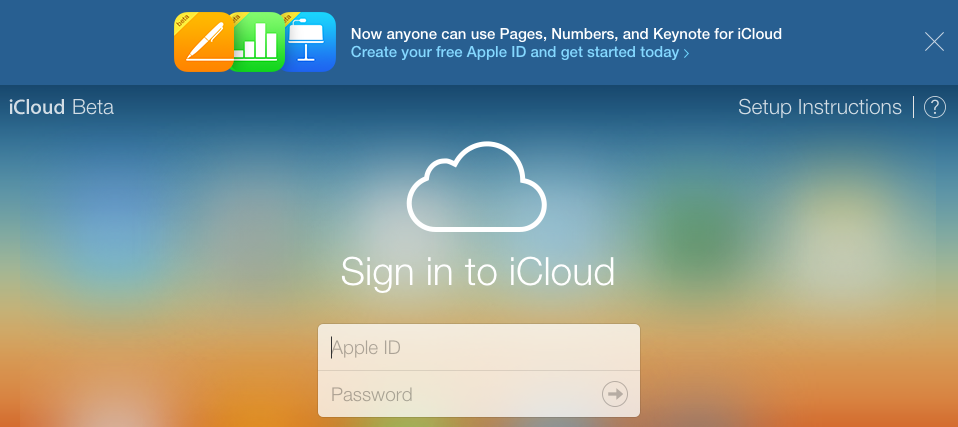
If you don't own an Apple product, you can now use iCloud apps on iCloud.com in its beta form. This means you can use Pages, Numbers, and Keynote without an Apple product. Respectively, they are Apple's versions of Word, Excel, and PowerPoint. Anyways, if you want to get started, go to iCloud.com.

Image Credit: MacRumors

Wednesday, January 22, 2014

iWork Full Screen

One of the great things about the new iWork is that it's made to take full advantage of Mavericks, Apple's new operating system for the Mac. With Pages, Numbers, and Keynote not getting many major updates in the past, it's time for a fresh, clean full screen mode (Mac only). Now, not many people care about if an app is full screen. It's different with iWork. With this under-looked feature, it's actually pretty helpful. It gets rid of all of the distractions of the desktop. It also is helpful for the Mac. With Mavericks, it makes your Mac run faster. Anything that isn't visible to the user, isn't given as much processing power. That said, you get a bit of a faster Mac. This processing power is usually pointed to things the user can notice, such as music, collaboration, or to just keep it "saved up." Full screen mode is available on most Mac apps by clicking the two arrows in the top-right corner.

Pages in Full Screen Mode

Thursday, October 24, 2013

Apple iPad Event 2013 - Part 2

Today, I'll be talking about the software announced at the Apple event this week. Apple has announced  updated versions of their apps for Mavericks and iOS 7. It was pretty much focused around iWork and iLife.

iWork:

iWork is the Apple version of Microsoft Office. Finally, iWork has collaboration. Collaboration allows for multiple people to work on one document at once. It's pretty cool (even though Google Drive had it first). Other than that, iWork brings more enhancements such as amazing styling tools and interactive charts and graphs.

iLife:

iPhoto (part of iLife) finally adds photo books to iOS. In the Mac version, you could buy photo books for about $40 each. We can finally do that on our iOS devices. Garageband (also part of iLife) allows you to play 16 tracks at once and 64-bit iOS devices (iPhone 5s, iPad Air, iPad Mini 2) can run up to 32 tracks at once. The Mac version of GarageBand has a new feature named "Drummer." First, add in your music into your mix like normal. Then, add the instrument "Drummer." Pick a drummer with the correct personality with your song and fine-tune their drumming beat and what part of the drum they hit. iMovie has some more advanced tools for editing in slow motion. This should be helpful for people with iPhone 5s'.
P.S. To the person who I gave my business card to today: I hope I didn't freak you out like that! 
Sunday, January 20, 2013

Let's get Productive: Writing a Report 4 School

If you're a kid like me, then you probably write reports for school digitally. Here are some rules for making sure you get the best out of your hard work.


  • Save once AT LEAST every 5 minutes
  • Don't use the Schoolloop Document Creator; It's not reliable!
  • Use services like Google Drive, iWork, and Microsoft Office
  • Find out if your computer auto-saves
  • Don't wait until the last minute. You will regret it.
  • Understand how to use your program
  • Check your printer if you need it
  • If you use an iPad, iPhone, or iPod Touch for writing reports, I HIGHLY recommend buying the Pages (Document; $9.99), Numbers (Spreadsheet; $9.99), or Keynote (Presentation; $9.99) app. It's defiantly worth it. I usually use Pages and Keynote mostly for school. I rarely use Numbers for school.

Thursday, November 29, 2012

Laser Pointer in Keynote for iOS

To use the laser-pointer feature in a presentation on Keynote for iOS, open the Keynote app. From here, you must select the presentation that you would like to use. Press the play button at the top-right corner. Finally, tap and hold at any point on the screen and there's your laser pointer.