Monday, September 9, 2013

THIS IS LIKE iOS 4 ALL OVER AGAIN!!!

If you haven't heard, the iPad version of iOS 7 may be delayed until a hardware refresh. Pretty much, iOS 7 won't come out for iPads until the new iPad 5 and iPad mini 2. This was suggested because only pictures of iPhones running iOS 7 where shown at WWDC 2013. If this sounds familiar at all, this is because the same thing happened with iOS 4. A few years back, iOS 4 only came out for iPhone and iPod Touch. It took a few months until it finally came out for iPad. It will probably take a month this year for the update for the iPad to come out.

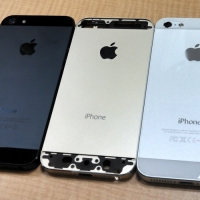
P.S. The iPhone 5S and iPhone 5C come out tomorrow. See you then!

Sunday, September 8, 2013

Video Tutorial: Google Drive Documents

Need help with Google Drive documents? Check out my tutorial on how to master the cloud-based Google service.


Saturday, September 7, 2013

iOS 7 May Support iBooks Textbooks 4 iPhone

Rumors are currently circulating that iOS 7 may allow iPhone to support textbooks on iBooks. Prior to this, iBooks textbooks only support iPad and iPad mini. When OS X Mavericks is released, iBooks textbooks will be supported by Macs. iOS 7 is expected to be released within the next week after the iPhone 5S is announced. 

Friday, September 6, 2013

The Happiest App on Earth

The Disneyland Explorer app is the perfect app if you're planning to go to Disneyland. It gives you wait times and games to play. This app also serves as a map. It even gives you info about each area of the park. However, be sure to make room on your iOS device as it consumes over 700 MB. The Disneyland Explorer App is available on the Apple App Store for free.


Thursday, September 5, 2013

The Time To Buy A Mac Is NOW!!!

If you are part of a school or are a student, you should buy a Mac now or never. If my predictions are right, you'll be able to get a $100 iTunes Gift Card along with a free copy of OS X Mavericks. If I'm wrong, Mavericks will only cost $20 from your $100. You have until September 6th (tomorrow) to buy a Mac. Be sure to go to the Apple Education Store and select your school (or district) from the list. I hope this helps. 

Wednesday, September 4, 2013

Making School Fun With Apps: Quizlet

Quizlet is the easiest way to study for a quiz or test. They're digital flash cards in the cloud. Quizlet allows you to study flash cards by games, tests, and audio tests*. You can even print out 3x5 flash cards. Quizlet is a free app and available online.


*Some features require the web version at Quizlet.com

Tuesday, September 3, 2013

Heat Affects Battery Life

Recently, I noticed that when I leave my iPad in the car on a hot summer day, the battery is drained. This is strange because the iPad's battery can stay up to 80% over an entire day. It lowers itself down to 30%. This is because a chemical reaction in the iOS's lithium-ion battery powers the battery. Hot and cold temperatures play important roles in chemical reaction and can change the entire outcome. A hot temperature will make the battery drain faster (and supposedly vise-versa with cold). One other factor may affect this. I've found that the Smart Cover accessory can actually "fold open" and turn on the screen of the iPad. This may also be a factor. This can be resolved by removing the Smart Cover or by going to Settings and turn off "iPad Cover Lock / Unlock" until you come back to it. For both of these methods, you'll have to manually lock the iPad by pressing the top button. I hope this helps!

Monday, September 2, 2013

Public Charging Stations Know Where You Are!

It's growing more and more popular. The use of USB charging stations in malls, airports, and more! It supplies power to our devices running low on power. While Apple Stores don't count, malls are hotspots for charging stations. USB ports are found hidden on side tables. However, these helpful little ports are hiding a dark secret. Some USB ports are stealing MAC addresses. It's like when you plug in your iPhone into your computer. It begins to sync as it charges, exchanging data with the computer. Much like that, the MAC address is "synced" to the computer. This is perfectly normal and is no different than connecting to WiFi. However, when somebody accesses the MAC addresses and puts all of the pieces together, they can see where you go when it comes to public shopping and travel. This isn't exactly an evil scheme, but it does take a piece of privacy away from you. If you don't want people knowing this kind of stuff, turn off your device to save battery and not connect to any hotspots that may want to take data. You can also invest in the "LockedUSB Adapter" which doesn't allow any sync with something connected to it. However, this isn't available yet (funding available on Kickstarter). In addition, reports have been showing that wireless communications from "hi-tech trash cans" can steal your MAC address. Remember, that this isn't an evil scheme. It's advertisers and large companies analyzing trends of their customers. Go about it how you want. Personally, I think there's nothing to worry about. I'll charge in a public charging station if it means giving up my MAC address. I'm sure someone already has it.


Sunday, September 1, 2013

Duolingo

Duolingo is the easiest way to learn a new language. It has languages including Spanish, Italian, and French. Duolingo helps you learn by using "blocks", visuals, and the iOS device's microphone. The only thing it doesn't have is a glossary to review what you've learned. However, I've learned a lot about Spanish for free, so that's great. Duolingo is available off of the Apple App Store for free!


Saturday, August 31, 2013

AirPrint Printers

When you are considering buying a printer, check out AirPrint printers. They allow you to print via your iOS device. On any document or picture on your iOS device, tap the "Share" button and tap "Print." Select your printer and tap print. There you go! If you're looking for a good AirPrint printer, try the HP Photosmart 6520 e-All-in-One Printer. If you don't own an AirPrint printer, look on the internet for plugins that allow you to "share" the printer to an iOS device. 

Friday, August 30, 2013

How to take pictures that fit iPhone 5's larger screen

If you're tired of pictures not taking up the full screen on your iPhone 5, this is for you (iPhone 5 only)! Instead of taking a picture, take video and tap the camera icon in one of the corners (depending on your device orientation). This takes a picture in a full screen shot. Check it out (don't forget to delete the video)! Here are some examples below. 

P.S. I'm sorry if this looks really bad, but it's what I had to work with at 6:30 AM. Also, the picture differences are easier to see on an iPhone 5, so I suggest if you have one, to save these pictures by tapping and holding each picture and tapping save. 


This is how a picture looks normally.

This is how a picture looks when taken with video. 

Thursday, August 29, 2013

The Nintendo 2DS! It's like a 3DS but with a 2!


Nintendo made a surprise announcement yesterday (along with a Wii U price cut) that they would announce a brand new system to the "3DS family". It's called the 2DS. Initially, it sounds like a joke, but it's not. This is a real thing. It doesn't fold, unlike the 3DS or DS. It's more of a Game Boy. Nintendo made the 3DS a toy. Apparently, their logic goes like this. "Folding seems too 3D-ish, so let's make it flat!" You can't fit it in your pocket (not the best strategy for StreetPasses) and Nintendo endorses a carrying bag (an extra $12.99). The 2DS in general is a great marketing tactic for making the 3DS games more accessible to the general public without a 3DS. However, a $129 price tag won't cut it for some people. Especially when they can just buy a 3DS and turn off the 3D for an extra $40 ($169). Long story short, good idea, bad outcome. This system only appeals to people under 7 (who shouldn't be exposed to 3D) and people who are just in it for the gaming. After all, nobody really uses the 3D. One final note, the 2DS has the ability to take 3D pictures, but it can't display them in 3D. Strange.


The Nintendo 2DS has a set release date for October 12, 2013 (The same day that Pokémon X & Y come out; The funny part is that there's no Z for a 3D "Z axis"). 

Wednesday, August 28, 2013

Making School Fun With Apps: iStudiez Pro


Today is my first day of high school, so I decided to make a new series for the school year. "Making School Fun With Apps." Pretty self-explanatory. iStudiez Pro is an app that is a planner. Although there is a lot of initial setup (for each semester/trimester) it works really well. It syncs to all of your devices and has a great interface. It keeps track of your assignments and your schedule. It even holds contact information for your teachers! iStudiez Pro is available off of the Apple App Store for $2.99. There is a lite version available for free. There is a Mac version available from the Mac App Store for $9.99.

Tuesday, August 27, 2013

Apple TV Update

Apple released an update for the Apple TV. It's a pretty nice update. It adds many new apps such as:

- Vevo (music videos)
- Sky News (news)
- The Weather Channel (What ever happened to Apple's partnership with Yahoo! Weather?)
- Disney Channel (also known as WATCH DISNEY CHANNEL)
- Disney XD (also known as WATCH DISNEY XD)
- Smithsonian Channel (it's kinda like National Geographic, but on your Apple TV)
- Qello (concert videos)
- Crunchyroll (ANIME!!!)

Try the update today. It's free! 

Monday, August 26, 2013

Alarm Clock Apps

Whether you wake up if a bird chirps or if it takes an entire parade to wake you up, there's an alarm clock app for you, and just in time for back to school.

P.S. I recommend using an iPad for these apps for a larger clock.

For the heavy sleeper:

Night Stand HD 2 ($2.99) is the app for you. It allows you to set an "aggressive alarm". First, the iOS device's screen will brighten to mimic the sunlight. "On the second snooze, low frequency square waves are used instead of iPod music to interrupt sleep patterns."
The third snooze makes the time between snoozes down to ten seconds. The fifth snooze makes it so the alarm can't be stopped until a game is played. But seriously? If the snooze time is six minutes (default and can't be changed), that means that you'll have to sleep in a whopping 18 minutes and 30 seconds until you play a game. If you have that kind of time, why do you need an alarm clock? In addition, you can unlock new clocks by earning points. Points are earned by waking up before 9 AM (which is useless unless your work starts after 9 AM). But, hey, everybody's different.  

For the "uses built-in apps to their fullest" sleeper:

If you want to use the built in Clock app, try it. There's not much to it. You can use a built-in sound, ringtone, or song from your Music app.


For the "iSleep with a dock for my iOS device" sleeper:

iHome+Sleep (Free) is a great app. However, one might say that it WAS a great app. Unfortunately, this app is severely outdated with no iPhone 5 optimized nor Retina Display optimized. Then again, it does work, especially if you have an iHome dock yourself. If so, try it for a night. It knows how long you've slept and shows you weather.


For the "elegant" sleeper:

Okay, that might've been a strange title, but this app is VERY elegant. It's called Rise ($1.99; and was free a few weeks ago). The app is as if you're using a piece of glass, well, because you are! The time you set for waking up shows what the sky will look like, as shown below. If you hit the clock at the top, you get a nice desk clock. You can pick from three themes: solid black background, weather, or use the camera as a background.


Sunday, August 25, 2013

The iPad TV Revolution

Remember that time you wanted to watch TV while doing yard work? Or maybe in the attic? Well, we all have different situations, but now you can watch TV from anywhere in your house (and sometimes in other areas too!). With the power of your iPad, you can watch TV. Lookup your service provider and search the Apple App Store for an app. Major providers such as Time Warner Cable and Cox have these apps and will offer the service to you based on your subscription. Be sure to check yours out!

Saturday, August 24, 2013

Double-tap for a period

If you find typing on an iOS device inefficient, try tapping the space button twice. This automatically gives you a period and a space after it for proper grammar. I use it all the time! If this doesn't work, go to Settings > General > Keyboard > and turn "'.' Shortcut" to on. 


Friday, August 23, 2013

What I Could Dig Up: iPhone 5S/5C and iPad 5 - Part 1.5

Today's post is a quick update on the iPhone 5S and iPhone 5C. The iPhone 5S and 5C expected release dates are being rumored currently.

The USA: September 20th
Japan: September 20th
China: November 29th

*Subject to change


Thursday, August 22, 2013

Small, Medium, or Large?

YouTube has released version 2.0 of their App Store app. You can now view videos in three ways. First, you can watch it full screen (large). You can watch it with the description (medium). What's new is that you can now watch videos in the corner of the screen while you browse for other videos (small). Interesting. YouTube is available for free off of the Apple App Store. 

Wednesday, August 21, 2013

Find My iPhone

If you've lost your iPhone, you should always be sure to check Find My iPhone. Go to iCloud.com on the computer or download the app on your iOS devices. Be sure to set it up on your iOS device prior to losing it. To check, go to Settings > iCloud > and make sure that "Find My [iOS device]" is set to on.


Once that's done, check out my other tips about Find My iPhone!

Secure Your Security!
Secure Your Security: Part Two! (Only recommended when you know what you're doing)

I hope this helps!