Showing posts with label Back to School. Show all posts

Wednesday, October 16, 2013

Chromebook: The Pros and Cons

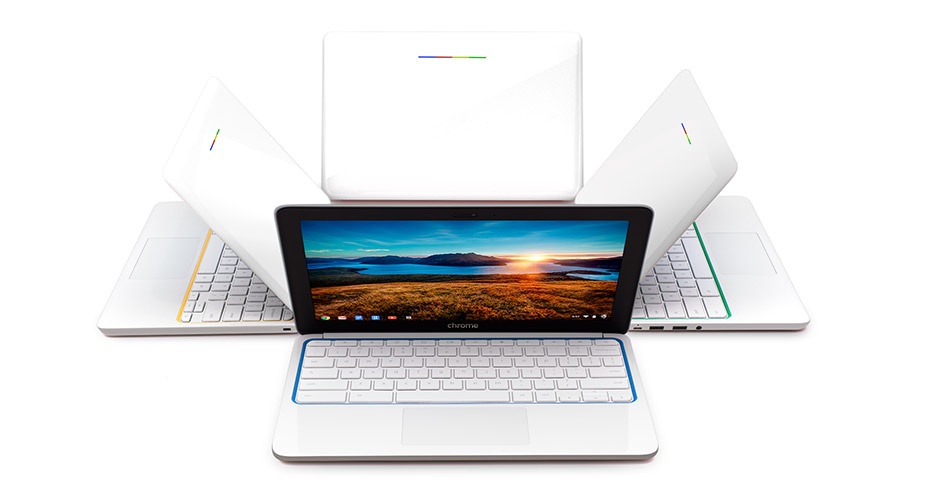
Today, I made a trip to do a quick review on the Chromebook OS. I tested this out on a Samsung Chromebook. For this post, I'll be listing the pros and cons of Google's new laptop, the Chromebook.


Speed and 10 Second Startup Time:

Pros:
First off, the Samsung Chromebook truly does have a 10 second startup time. It's really living up to its title.
Cons: 
The rest of the OS didn't seem to be nearly as fast as other laptops. Other tasks (such as searching the web) also took about 10 seconds. :-(
Uses:

Pros:
Have you been wondering why Google has been making seemingly random software that few people need (Google+ Hangouts, Google Cloud Print, Google Talk, etc.)? There are two reasons. First off, this is because that Google wants you to use their software specifically for the Chromebook.
Cons:
The other reason lies in the cons area unfortunately. The Chromebook really doesn't handle any other software than Google-made software. It has very little compatibility with third-party software. In fact, there is only one application on the Chromebook. That is Chrome. Every application is run from inside of a browser. Yes, even the settings. In summary, the Chromebook's "apps" are really just links to URLs that you could get on any other computer.* This means that the majority of tasks you can do on a Chromebook are online (With a purchase of a Chromebook, you get 100 GB of free Google Drive cloud storage). This is also why the Chromebook only has 16 GB of storage (a standard laptop has at least 64 GB).

"One Subject Notebook"

Pros:
One of the great parts of a Chromebook is how cost-efficient it is! Starting at $249! Which brings us to the "cons" section (P.S. Don't think I'm trying to rant on the Chromebook. It's truly a cool computer. I am simply telling the true facts.).
Cons:
The Chromebook has only a few functions and only is useful for one thing. You can make that school or work, but it's not the best tool for combining the two. It really is a modern version of a old computer. It's primary function is only one thing. Surfing the web.

My Thoughts Of The HP Chromebook 11:

Just as a little side note before I wrap up this post, this laptop symbolizes Google. It showcases all four of Google's primary colors (red, yellow, green, and blue) on its backlight and comes in your choice of the same colors, or black. You can even charge it using a micro-USB cable (the same cable that most Android phones use). It looks really cool for only $249. 

Final Thoughts of the Chromebook OS:

This is truly a great notebook. I find this notebook most useful for a student attending a school or college because of its amazing cost-efficency and integration of school-friendly apps such as Google Drive, Google+ Hangouts, and Google Search for research. For a full list of uses for the Chromebook, click here. This product is also on my Holiday Gift List 4 Geeks.

* You can get your Mac and PC apps using Chrome Remote Desktop (which also runs in the Chrome app). I haven't tested this out which is why I put this as a footnote.

Sunday, September 15, 2013

Video Tutorial: Quizlet

Do you HATE studying? Then you'll LOVE this video! Check out Quizlet at quizlet.com!


Thursday, September 5, 2013

The Time To Buy A Mac Is NOW!!!

If you are part of a school or are a student, you should buy a Mac now or never. If my predictions are right, you'll be able to get a $100 iTunes Gift Card along with a free copy of OS X Mavericks. If I'm wrong, Mavericks will only cost $20 from your $100. You have until September 6th (tomorrow) to buy a Mac. Be sure to go to the Apple Education Store and select your school (or district) from the list. I hope this helps. 

Wednesday, September 4, 2013

Making School Fun With Apps: Quizlet

Quizlet is the easiest way to study for a quiz or test. They're digital flash cards in the cloud. Quizlet allows you to study flash cards by games, tests, and audio tests*. You can even print out 3x5 flash cards. Quizlet is a free app and available online.


*Some features require the web version at Quizlet.com

Wednesday, August 28, 2013

Making School Fun With Apps: iStudiez Pro


Today is my first day of high school, so I decided to make a new series for the school year. "Making School Fun With Apps." Pretty self-explanatory. iStudiez Pro is an app that is a planner. Although there is a lot of initial setup (for each semester/trimester) it works really well. It syncs to all of your devices and has a great interface. It keeps track of your assignments and your schedule. It even holds contact information for your teachers! iStudiez Pro is available off of the Apple App Store for $2.99. There is a lite version available for free. There is a Mac version available from the Mac App Store for $9.99.

Monday, August 26, 2013

Alarm Clock Apps

Whether you wake up if a bird chirps or if it takes an entire parade to wake you up, there's an alarm clock app for you, and just in time for back to school.

P.S. I recommend using an iPad for these apps for a larger clock.

For the heavy sleeper:

Night Stand HD 2 ($2.99) is the app for you. It allows you to set an "aggressive alarm". First, the iOS device's screen will brighten to mimic the sunlight. "On the second snooze, low frequency square waves are used instead of iPod music to interrupt sleep patterns."
The third snooze makes the time between snoozes down to ten seconds. The fifth snooze makes it so the alarm can't be stopped until a game is played. But seriously? If the snooze time is six minutes (default and can't be changed), that means that you'll have to sleep in a whopping 18 minutes and 30 seconds until you play a game. If you have that kind of time, why do you need an alarm clock? In addition, you can unlock new clocks by earning points. Points are earned by waking up before 9 AM (which is useless unless your work starts after 9 AM). But, hey, everybody's different.  

For the "uses built-in apps to their fullest" sleeper:

If you want to use the built in Clock app, try it. There's not much to it. You can use a built-in sound, ringtone, or song from your Music app.


For the "iSleep with a dock for my iOS device" sleeper:

iHome+Sleep (Free) is a great app. However, one might say that it WAS a great app. Unfortunately, this app is severely outdated with no iPhone 5 optimized nor Retina Display optimized. Then again, it does work, especially if you have an iHome dock yourself. If so, try it for a night. It knows how long you've slept and shows you weather.


For the "elegant" sleeper:

Okay, that might've been a strange title, but this app is VERY elegant. It's called Rise ($1.99; and was free a few weeks ago). The app is as if you're using a piece of glass, well, because you are! The time you set for waking up shows what the sky will look like, as shown below. If you hit the clock at the top, you get a nice desk clock. You can pick from three themes: solid black background, weather, or use the camera as a background.