Saturday, December 10, 2016

Stupid Mario Run: Nintendo's Patent-Pending Anti-Piracy Measure

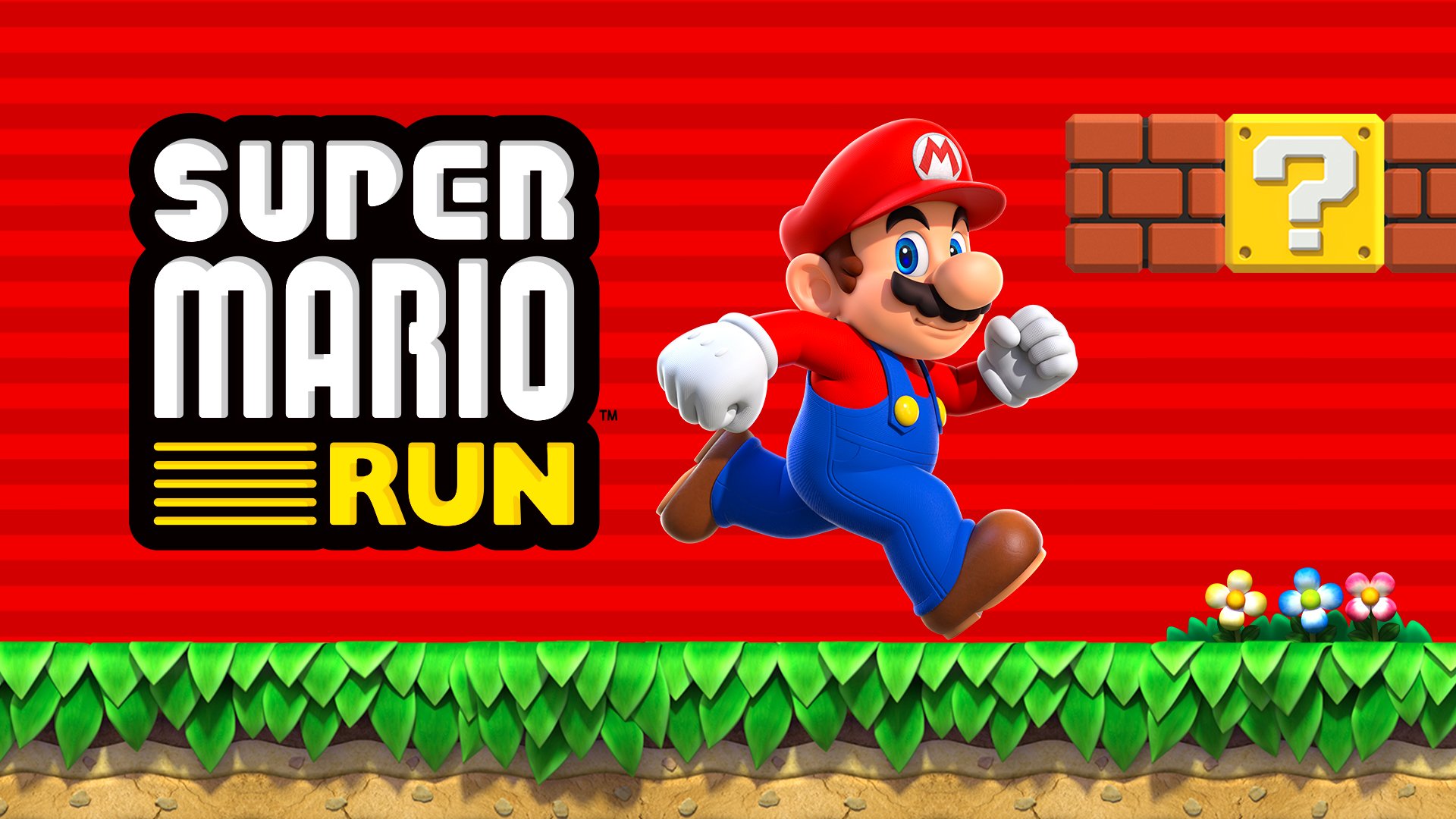
With Super Mario Run coming out this Thursday, Nintendo is ready to line its wallets with another round of mobile in-app purchases. To unlock the full version of Super Mario Run, a $9.99 price tag is hidden in the in-app purchases section. But that's not why I'm writing this post.

Nintendo has made the facepalming decision to require Super Mario Run to connect to the internet continuously... to prevent piracy [Source: Mashable]. Piracy... on iOS? I would think the whole point of making a big deal of announcing your first Mario game on mobile at an Apple event would be to utilize the technologies Apple gives to you. A huge plus for developers on the Apple App Store is that they don't have to worry about piracy. Most iOS users don't know how to pirate. Meanwhile on the Play Store, piracy is completely rampant. Androids simply need an APK file of the app to get a free copy. Even games with advertisements will work without internet, which disables the ads. So, why would Nintendo want to burden iOS users with an anti-piracy feature? I'm not sure, but it's certainly making that $9.99 price tag look less appealing. And you're certainly not going to be able to use this app on a subway as advertised. School WiFi networks already blocked Miitomo, Nintendo's other game, so this will likely use up data.

The execution seems to be another problem. Having a continuous connection wastes data and battery life. Once every 24 hours maybe? Even the Xbox One had better anti-piracy tactics than this. I mean, get real. Am I going to have a valid copy of the game at the beginning of the day and by noon, it will be pirated? Are there enough pirates out there to justify having this continuous connection? While they're less common, iPod Touches will have no means of running this app since they don't have cellular data. Younger kids won't be able to play as their favorite Italian plumber because of an anti-piracy measure. I see the trending hashtag now: #MarioGate.

Am I over exaggerating? Maybe a little. How much data can this take up? Will this have an impact on my battery? I shouldn't judge this until we have some hard evidence to make an argument. But at the same time, is piracy a big enough of an issue to justify bricking Super Mario Run when you have no signal? For all we know, all this data checking if your app is pirated may mess up Nintendo's servers, just like Pokémon Go. In the words of George Santayana, "Those who do not learn history are doomed to repeat it."

Friday, December 9, 2016

Apple Store Employees Wear Mario Pins for Super Mario Run

In honor of the upcoming release of Super Mario Run, many Apple Store employees are sporting a new 8-bit Mario pin. This is because of the upcoming release of Super Mario Run. Yesterday, Super Mario Run demos were installed on Apple Store devices, giving the public a chance to check out the new game. It's cool to see this app have such an effect on the store as a whole.

Thursday, December 8, 2016

Pokémon Go and Starbucks

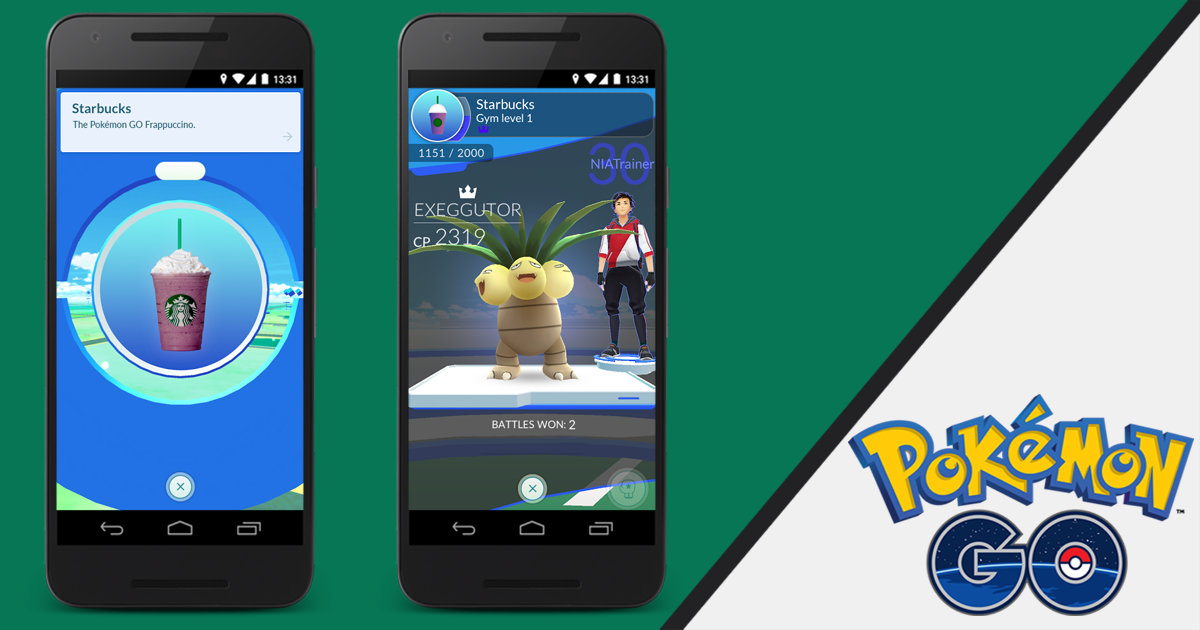
In hopes to reignite the hype for Pokémon Go, Niantic has made a deal with Starbucks, turning every café into a Pokéstop. In addition, there's a Pokémon Go Frappuccino. This news comes during the week we expect Pokémon Go to add about 100 generation 2 Pokémon. Pokémon Go was also just named the Breakout Hit of the Apple App Store for 2016. Also, Super Mario Run will be releasing next week. It is definitely a big week for Nintendo in mobile gaming.


Wednesday, December 7, 2016

Bluetooth 5

Bluetooth 5 has been adopted by the Bluetooth Special Interest Group. This means that manufacturers are allowed to use Bluetooth in their devices. But what is Bluetooth 5? Bluetooth 5 is the new version of Bluetooth. It has four times the range, twice the speed, and eight times the broadcast message capacity. It's also a big push for the smart home and the Internet of Things. And, as always, it improves the power draw, so that it eats up less battery. However, it isn't a simple software update. Manufacturers must first use this in their devices for consumers to use it. There's a good chance that it'll work with next year's iPhone 8.

Tuesday, December 6, 2016

Samsung Galaxy S8 Won't Have a Headphone Jack

After mocking the iPhone 7 for not having a headphone jack, the next flagship smartphone for Samsung will not have a headphone jack, according to SamMobile. During the controversy of the iPhone 7's lack of the headphone jack, I said to many that it would become the industry standard. Samsung's removal of the headphone jack will be another big push toward this future. This phone will likely be revealed in February.

Monday, December 5, 2016

The Simpsons Reference in Apple Maps

There's a small detail that many will miss in Apple Maps for iOS. If you tap the info button, choose "Add a Place," and select "Other" from the types of places, you'll be taken to a map to position a marker and a text field to enter the name of the place. However, you may notice that there's some hint text with an example. It reads "e.g. Moe's Tavern." This is a reference to Moe's Tavern in The Simpsons animated series. It's nice to see that the developers had some fun with this by adding such a small detail.


Sunday, December 4, 2016

Apple's Battery Site

If you've been needing some tips regarding your batteries, Apple's battery website may help. On this page, Apple has some information on how to keep your batteries in top shape, in addition to how Apple's lithium-ion batteries work. It also dispels some myths about charge cycles and trickle charging. For example, since a full discharge counts as one charge cycle, there is nothing wrong with charging your phone every night. It's a very good page, and I recommend every Apple user take a quick glance at it to learn a bit.


Saturday, December 3, 2016

Potential iPhone 6s Battery Shortage

After an announcement that Apple would repair the batteries of deteriorating iPhone 6s batteries, it seems that Apple Stores are low on stock. When I went to my Apple Store to get my battery replaced, I was told that every Apple Store in proximity was out of the battery and would not get one until mid-next week. This can be frustrating for many users as it seems to be getting exponentially worse. My iPhone shutdown twice while I was waiting. Hopefully, these batteries get back in stock soon, as many people are being affected.

Note: this is not a safety issue, just a matter of keeping our phones from shutting down.

Friday, December 2, 2016

Super Mario Run Release Details

Super Mario Run, a runner game from Nintendo similar to Temple Run, will be releasing on December 15. While the base game will be free to purchase, the full game costs $9.99 as an in-app purchase. Although this is cheap by Nintendo standards, most seem to think this is a bit too much given what we've seen. In addition, Nintendo believes Super Mario Run will outdo Pokémon Go. Unless they mean in revenue, there's no way the amount of downloads will exceed that of Pokémon Go, especially considering this is an iOS exclusive for the time being. Super Mario Run will be free when it releases [Direct Link].


Thursday, December 1, 2016

Apple Maps Will Use Drone Data

According to Bloomberg, Apple will use some drones that can map landscapes. These drones can identify street signs and monitor roads and construction. This would be a quick and easy way to ensure your maps are accurate and up-to-date. Apple has filed their paperwork to the Federal Aviation Administration, so it seems this project is well underway. 

Wednesday, November 30, 2016

Apple to Stop iCloud Calendar Spam

If you use iCloud Calendars, you've likely seen a strange calendar event that you didn't create. I've seen them too. These are spam invitations and should be ignored at any cost. Unfortunately, because of how iCloud invites work, this isn't easy. Apple has told iMore that they are working on a fix. Until then, a good workaround is moving the spam event to a new calendar. Then, delete this new calendar. Doing this will not notify the spammers if your account is real. Credit to MacRumors for that tip.
"We are sorry that some of our users are receiving spam calendar invitations. We are actively working to address this issue by identifying and blocking suspicious senders and spam in the invites being sent."

Tuesday, November 29, 2016

iPhone 8 To Have Wireless Charging

According to Ming-Chi Kuo, the iPhone 8 will likely have wireless charging. Specifically, the 4.7-inch model, however, they have stated that all models will have wireless charging previously. This is likely still true. As for wireless chargers, it appears that certain models will include them in the box. It's not known yet if all models will include one. Wireless charging is something that Apple fans have not been exposed to without the need for third party accessories, but hopefully Apple has taken its time in getting it right.

Monday, November 28, 2016

LG UltraFine 5K Display Swooping In and Out of Stock

The LG UltraFine 5K Display announced alongside the new MacBook Pros have gone in and out of stock today. Whether this is because of short stock or an accidental store listing has yet to be seen. However, if you are in need of this display, definitely jump at the chance if you find it in stock at the sale price of $974. The 4K version of this display is still in steady stock, although will take over a month to ship. Both of these displays use the new P3 color gamut found in the new MacBook Pros and USB-C.


Sunday, November 27, 2016

iOS 10: Parked Car

One of the nice things about Maps in iOS 10 is how it tracks where you park your car. If your car works with your phone via Bluetooth or CarPlay, you should be able to see where you parked your car in the main maps menu. Depending on your Calendar events, your parked car should be second or third on the list. Just tap it and you should get walking directions to your car. Note that you should be somewhat distanced from your car. I'm not sure what determines this distance, but you typically have to park in a parking lot for it to work. I hope this helps!

Saturday, November 26, 2016

Customizing Touch Bar

If you want to customize your Touch Bar's layout, it's very simple. For most supported apps, you can find this option in View > Customize Touch Bar... From here, just drag the icons down to the bottom of the screen, and you'll see them appear in the Touch Bar. This is especially useful for editing applications, like Pixelmator. I hope this helps!


Friday, November 25, 2016

Creating Memories

In iOS 10, there's a new feature in Photos called Memories. If you'd like to make a Memory out of this Thanksgiving weekend, simply go to the Photos app in iOS, tap the location above the group of photos you want. Now, scroll down to the bottom and tap "Add to Memories." From here you can make cool movies, but in general, it's a cool way to look back on your favorite photos. I hope this helps!

Thursday, November 24, 2016

Apple Watch Thanksgiving Badge

If you own an Apple Watch, then you might know about how you can earn badges through workouts. For Thanksgiving, Apple would issue a special badge for those who did a workout that was more than 5K in distance, or 3.1 miles. I managed to earn mine this morning and I personally love the design. In addition, you get a Messages sticker when you earn this badge. It looks the same as the medal, except the design is flat. Hopefully, we see more special badges like this in the future.


Wednesday, November 23, 2016

Touché

If you'd like to try out Touch Bar on the new MacBook Pro without having to leaving the comfort of your home, try Touché. It's a Touch Bar simulator that can be enabled on the fly. Just tapping the control, option, command, and space keys together quickly brings the simulator onto the screen. It appears to be the same simulator that the latest developer build of Xcode uses. If you choose to try it out, you should know that Touch Bar enabled apps typically have a "Customize Touch Bar" menu item in the View menu. Touché by Red Sweater is available for free from their website [Direct Link].


Tuesday, November 22, 2016

Video Causes iOS Devices to Freeze

Yet another strange way to crash iOS has been discovered. It's through a video link. To prevent spreading malicious content, I won't post the link. In short, loading this link on iOS slows down the system and eventually freezes the device. This requires a hard reset of the device. To hard reset on an iPhone 7, hold down the power button and lower volume button until the Apple logo appears. On any other device, hold down the power button and the home button until the Apple logo appears.

Monday, November 21, 2016

Apple Announces Black Friday 2016

This Friday will mark another Black Friday and Apple has some deals planned. For those who don't remember, Apple didn't have any Black Friday deals last year because they wanted to phase them out and let third-party retail stores handle them. However, Apple will have their own deals this year. We don't know what they are yet though. Apple has put more of an effort this year in advertising their products as gifts, so that may be part of this. Black Friday starts at midnight after Thanksgiving, November 25, 2016.