Showing posts with label ThunderBolt. Show all posts

Monday, April 24, 2017

The Difference Between Thunderbolt 3 and USB-C

USB-C is still a very new technology, so there have been a few misconceptions about the new port. Thunderbolt 3 uses the same port as USB-C. However, it's important not to get the two confused. Having USB-C doesn't mean that every USB-C device you plug in will be at Thunderbolt 3 speeds. Thunderbolt 3 has speeds up to 40 Gb/s. Meanwhile, USB-C has up to 10 Gb/s. In order to achieve Thunderbolt 3 speeds, both ports and the connecting cable must be Thunderbolt 3 compatible. Otherwise, they will be bottlenecked down to the component with the lowest speed.


Friday, June 24, 2016

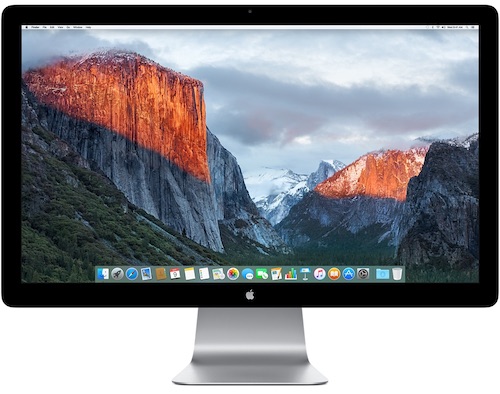
The Return of the Thunderbolt Display?

Yesterday, I talked about how Apple planned to discontinue the Thunderbolt Display. Today, John Paczkowski said that the next generation Thunderbolt Display will have an integrated GPU, a big step up. If this is true, this may reignite hope for a 5K Thunderbolt Display. With the GPU, it could work with virtually any Mac as well. Let's hope this rumor holds true.

Thursday, June 23, 2016

The End of the Thunderbolt Display?

Today, Apple told TechCrunch and other news sources that they would be discontinuing their Thunderbolt Displays. Many have speculated that this signals that Apple will soon announce a long awaited 5K display. Others believe this is just to give notice to schools and institutions, as the summertime would be when they would stock up. Either way, the stock left in Apple Stores and the Apple Online Store is all that's left for now. If you need one, be sure to get one now!
"We're discontinuing the Apple Thunderbolt Display. It will be available through Apple.com, Apple's retail stores and Apple Authorized Resellers while supplies last. There are a number of great third-party options available for Mac users."

Monday, April 28, 2014

Mac Pro Daisy Chain Challenge

Macworld tried to see how many devices a Mac Pro can be connected to at once. One thing to note is that you can "daisy chain" six Thunderbolt devices to one Thunderbolt port. There are six Thunderbolt ports, which makes thirty-six potential devices. Added that to 15 USB devices and 2 FireWire devices. That's forty-two devices. Fun fact: the drive space capacity added up to 100.63 TB. One TB (Terabyte) is equal to 1024 GB (Gigabytes). One gigabyte is equal to 1024 MB (Megabytes). You can do a lot with a gigabyte (hopefully), so 100 terabytes. Wow.

Image Credit: MacRumors

Monday, October 29, 2012

Lightning is USB 2.0

Has anyone noticed that the Lightning connector isn't USB 3.0. The connector is only 2.0. Which is much slower than USB 3.0. Especially considering that USB 3.0 is compatible with USB 2.0 ports. And that most of the Macs have been upgraded with many Thunderbolt ports and USB 3.0 ports. Please comment if you feel the same way or if you feel that there's a reason.